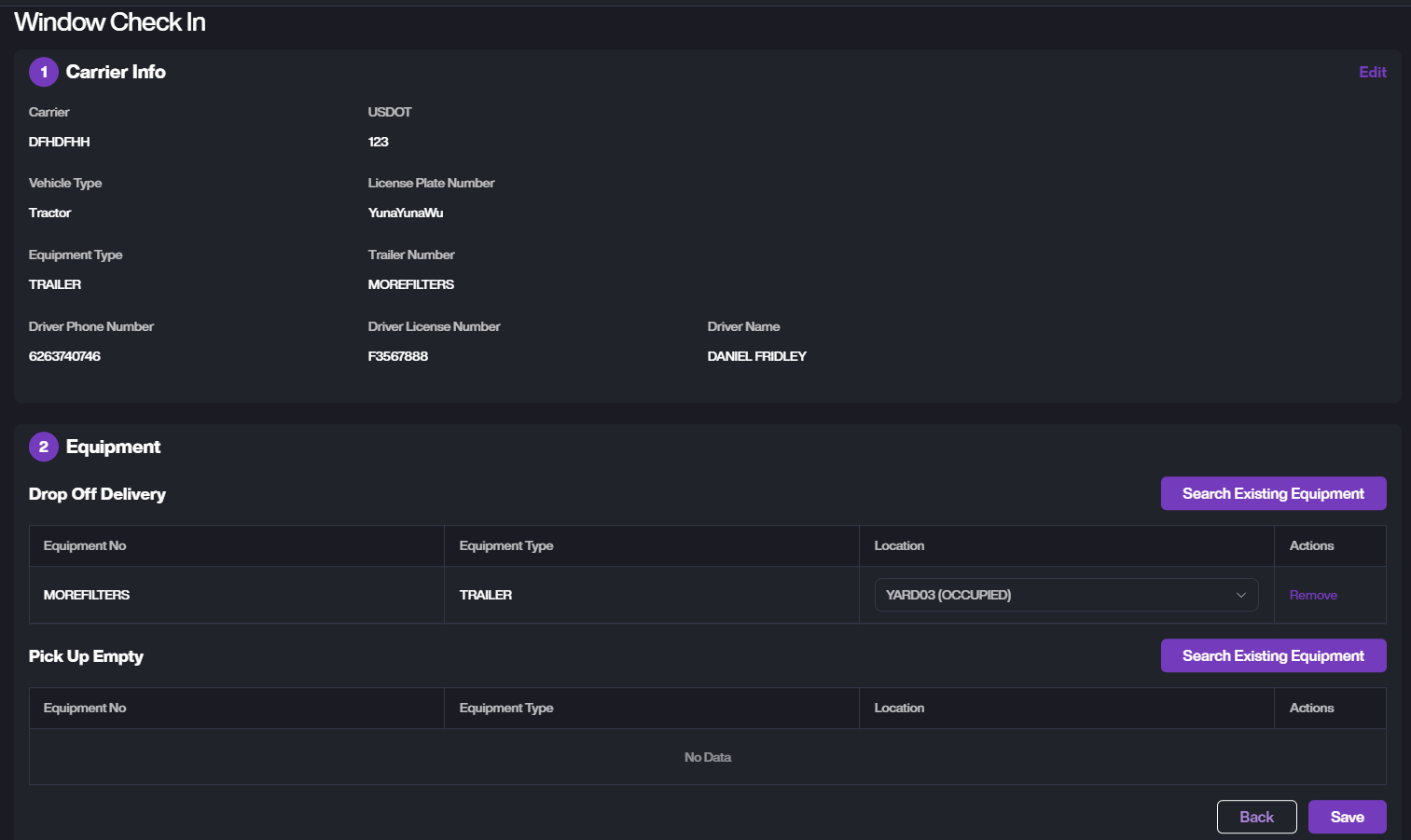
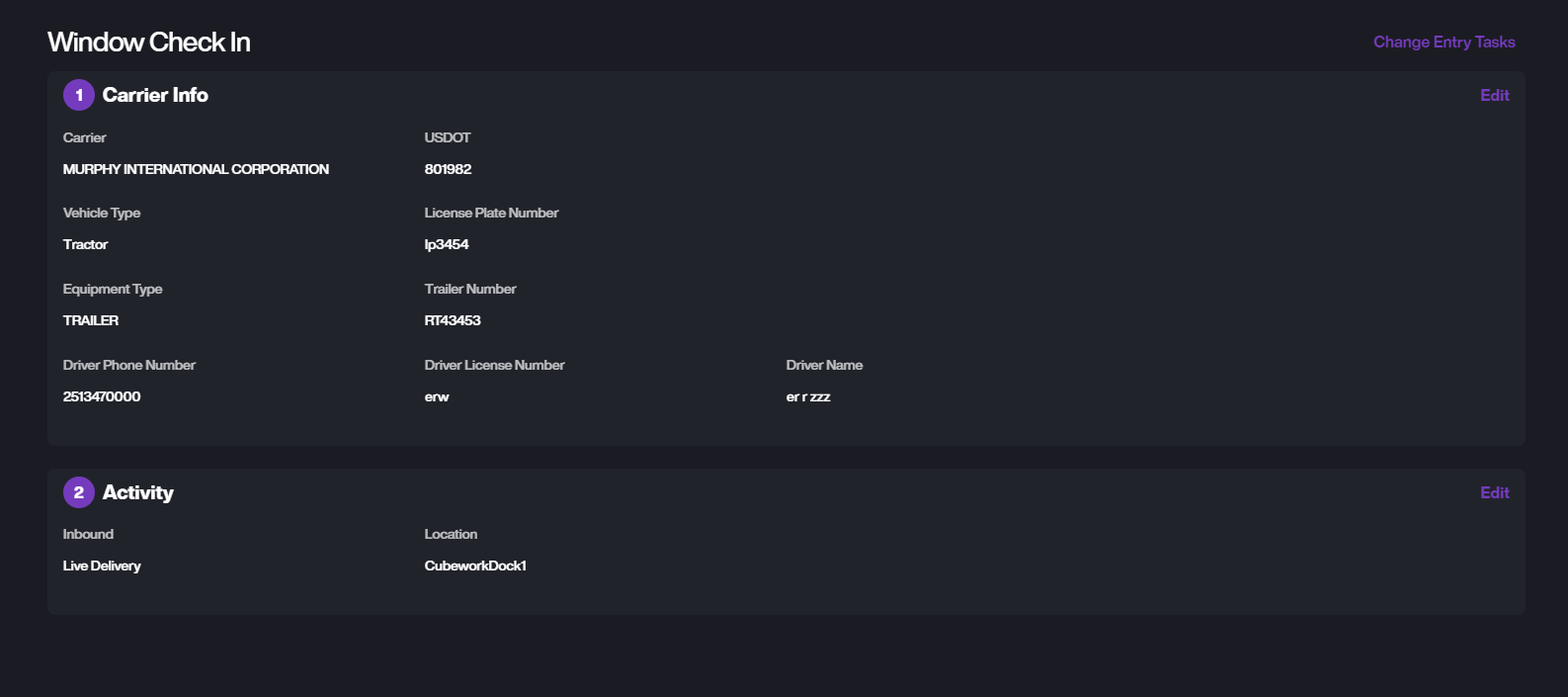
Workspace - Entry List
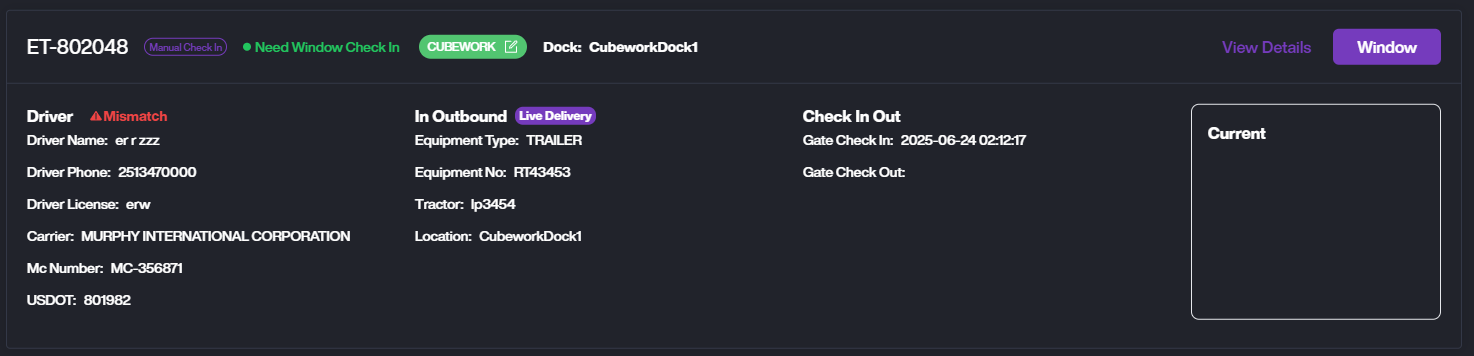
The Entry List page allows users to search, view, and manage all yard entry records, including driver information, equipment details, customer assignments, and gate check-in/out timestamps.
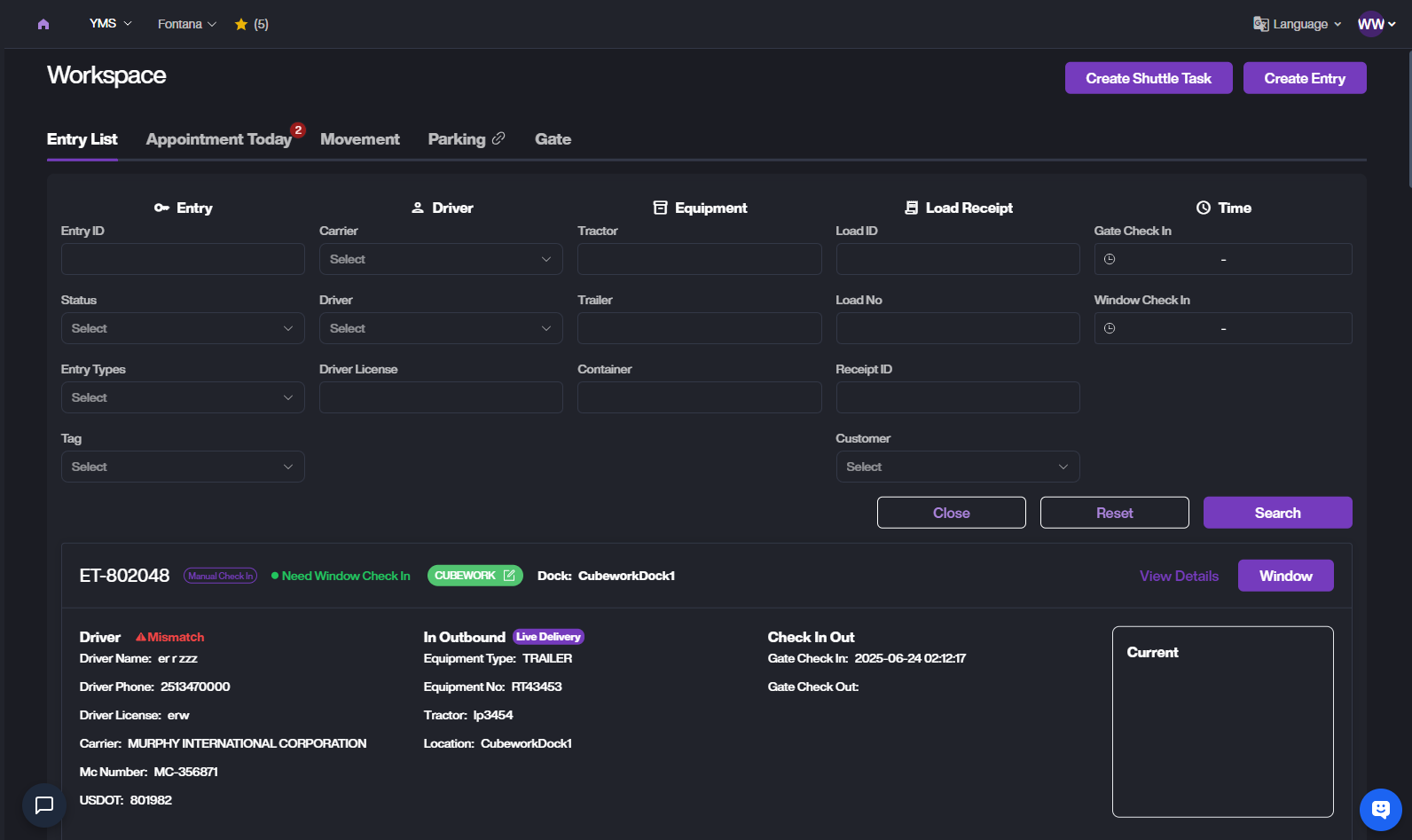
Search
At the top of the Entry List page, click the filter icon to switch between Quick Search and Advanced Search.
Quick Search

You can search using:
-
ET Number
-
Driver Name
-
Equipment Number
-
Load Number
-
Receipt ID
-
Reference Number
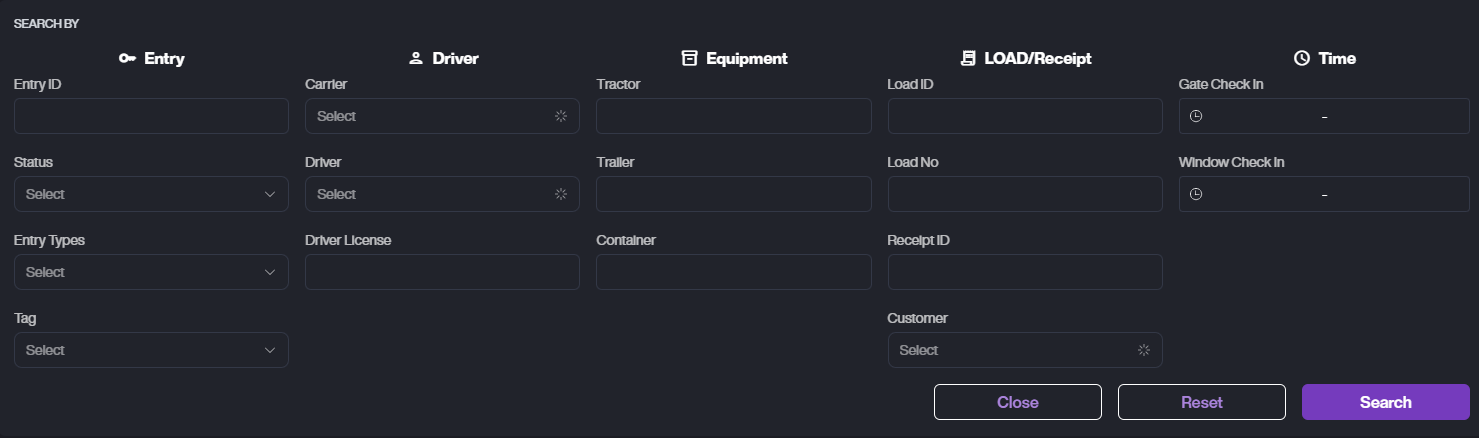
Advanced Search includes:
-
Entry Info: Entry ID, Status, Type, Tag
-
Driver: Carrier, Driver, License
-
Equipment: Tractor, Trailer, Container
-
Load/Receipt: Load ID, Load No, Receipt ID, Customer
-
Time: Gate Check-In, Window Check-In
ET List
Entry Card
- You can view the ET's Driver info, Equipment info, In/Outbound Action, Check In/Out Time, and Current Status.
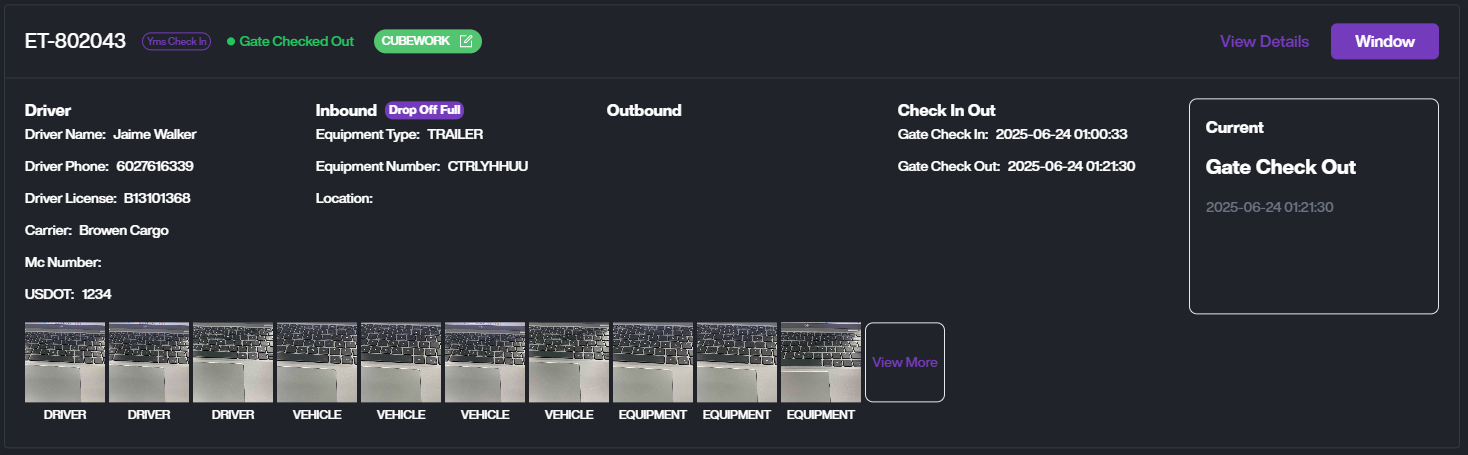
- View Details. Click View Details to see the ET details, including the task timeline and entry photos.
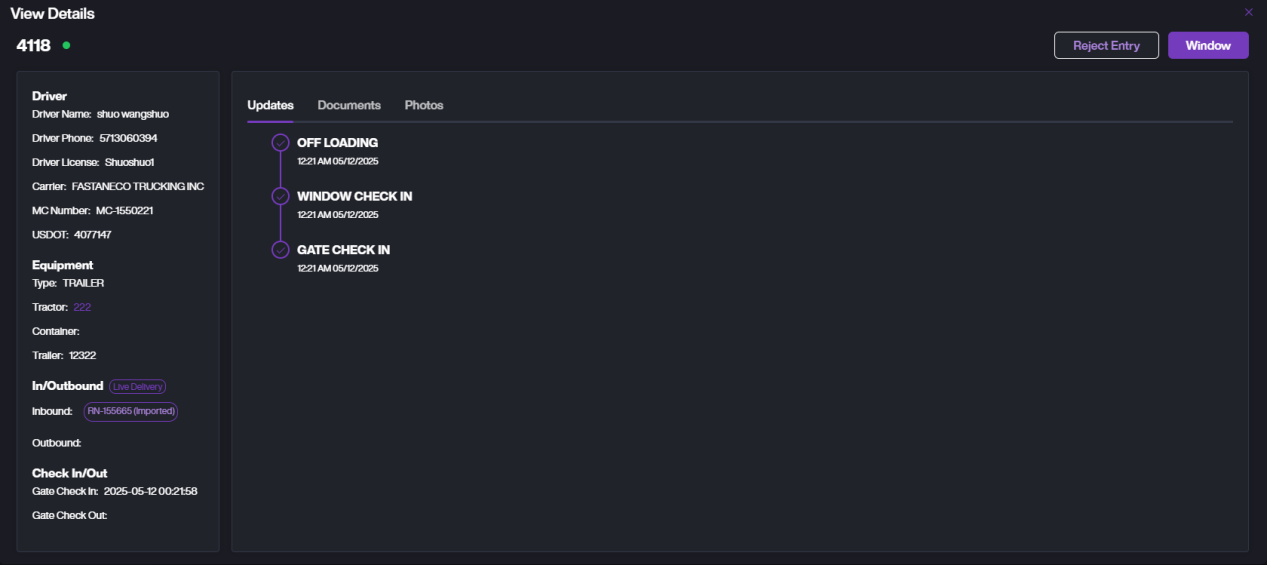
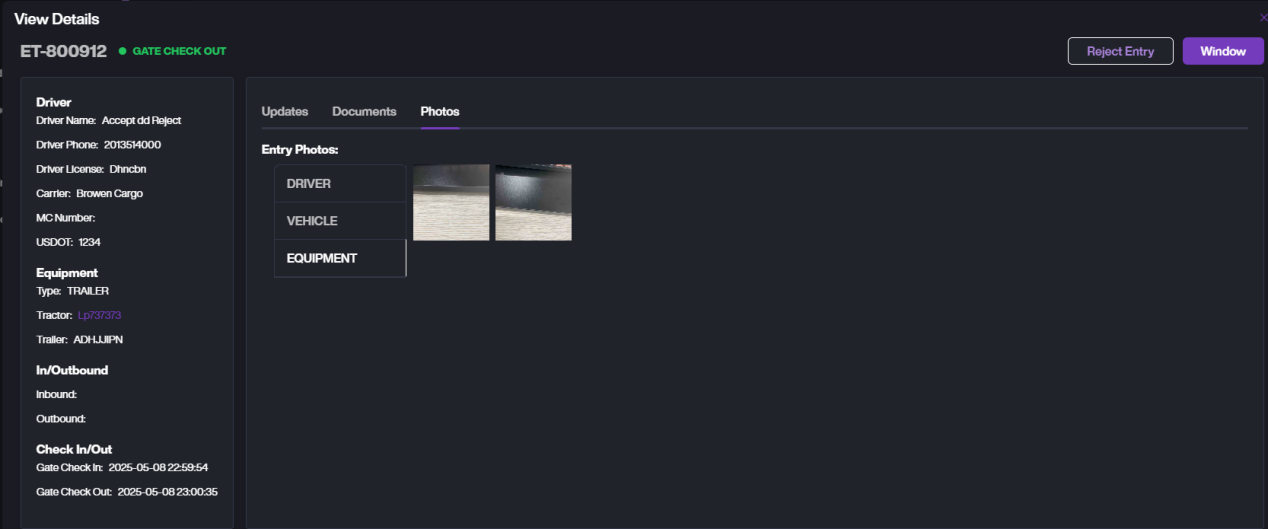
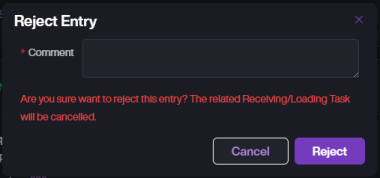
- If you need to reject this ET, click Reject Entry to reject and close it.
- Click Window to perform operations such as edit ET information and location assignment for the ET at the window.