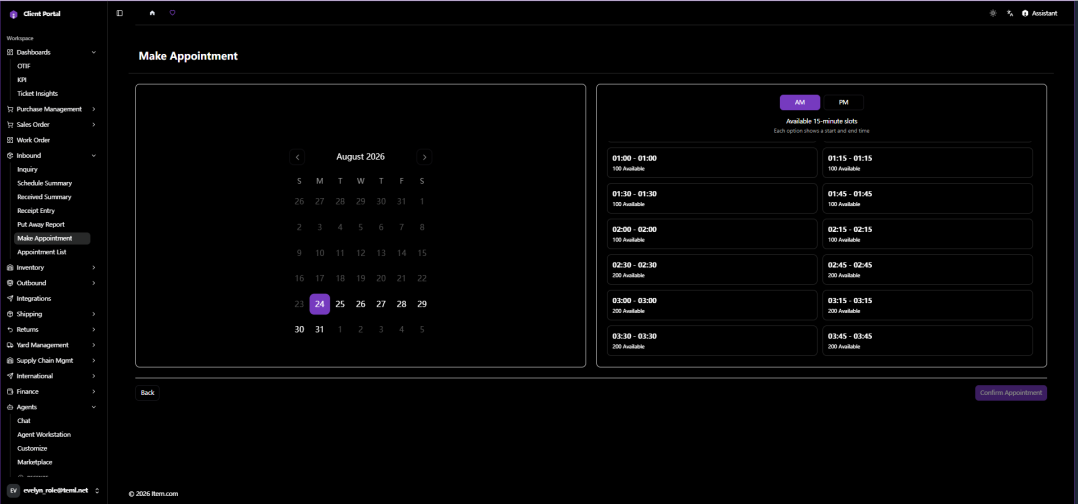
Make Appointment
Make Appointment enables scheduling of inbound delivery appointments by selecting facility, date, time slot, and entering carrier/PO information.
Operating Steps
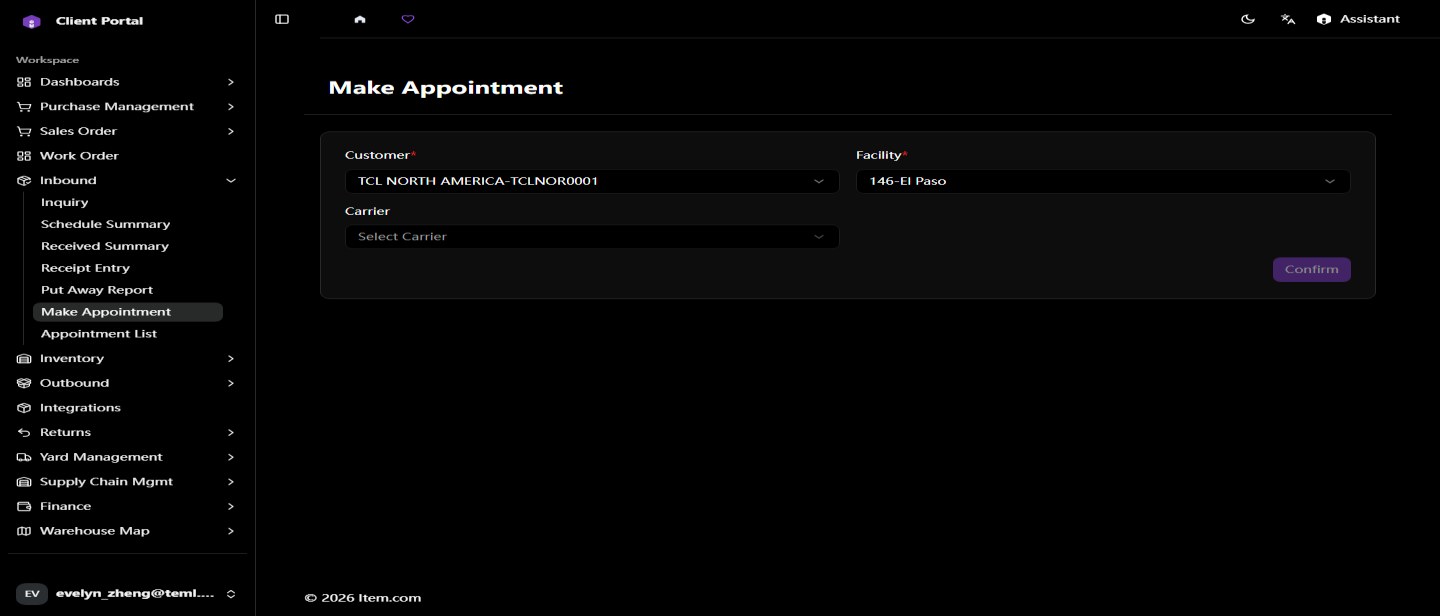
- Navigate to Inbound → Make Appointment
- Select Customer, Facility, Carrier
- Click "Confirm"
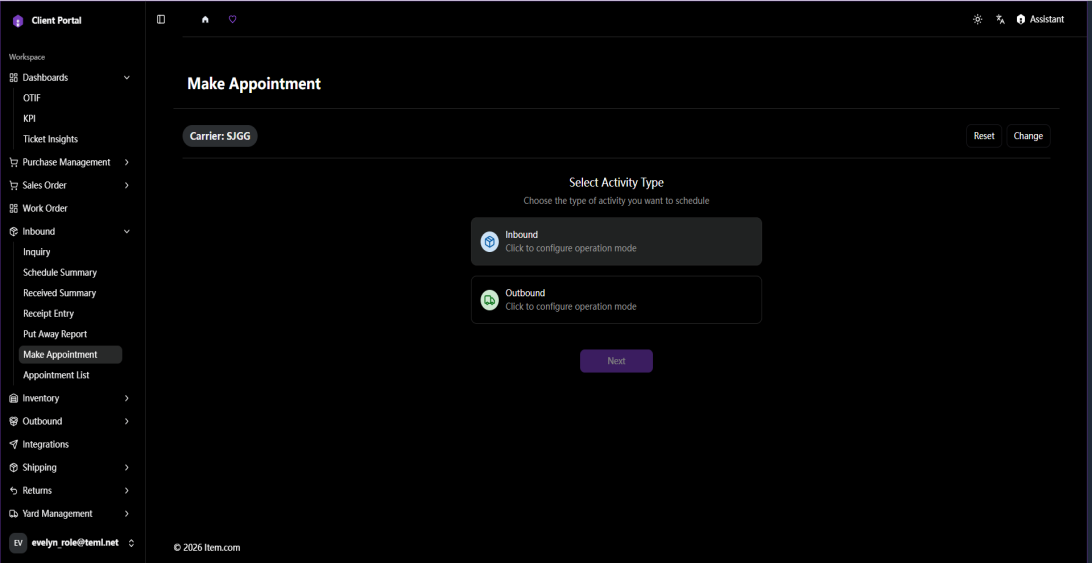
- Select Inbound or Outbound
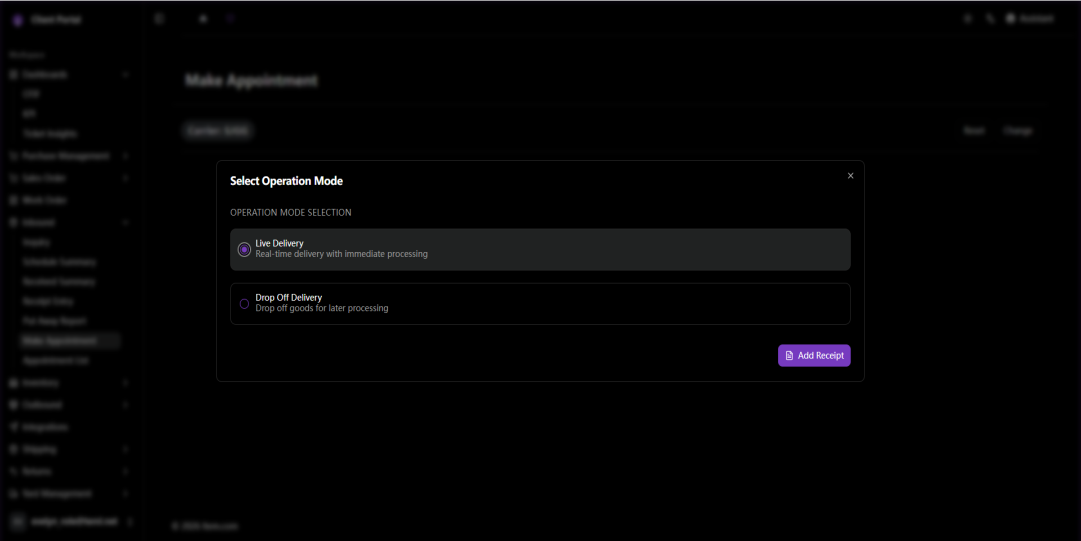
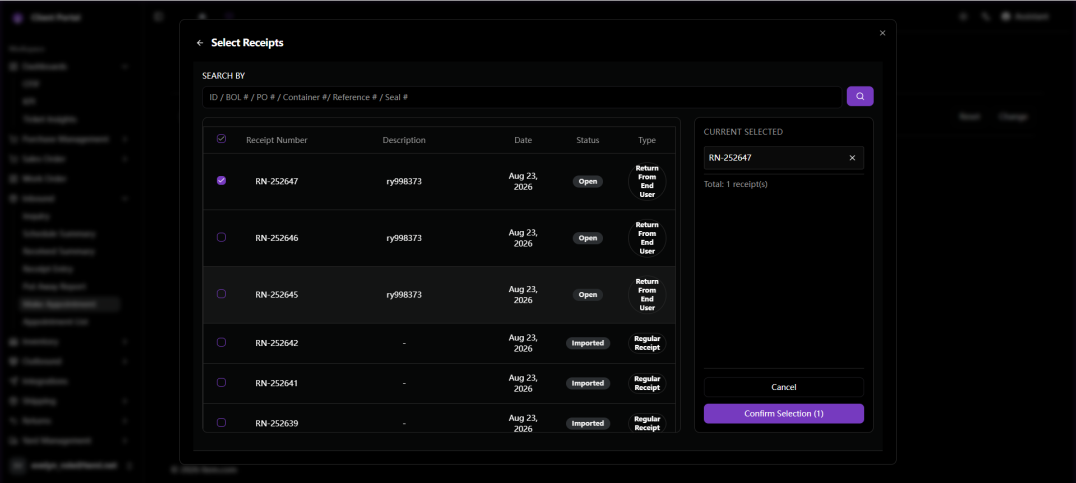
- Select Operation Mode, Receipt Number, Date and available Time Slot
- Click "Confirm Appointment" to create Appointment and Send Appointment Confirmation
Note: A receipt must be created before an appointment can be scheduled.
Screenshots