Small Parcel
The Small Parcel module provides centralized visibility and management for all your parcel shipments created through the Logistics Service Orchestration (LSO) platform. You can view, search, and track the details of every shipment in one place.
Searching and Filtering Orders
Quick Filters
Above the list, use the dropdowns and input fields to filter by:
- Airbill No. / Billing Ref
- Customer Name
- Status
- Service Type
- Service Centre
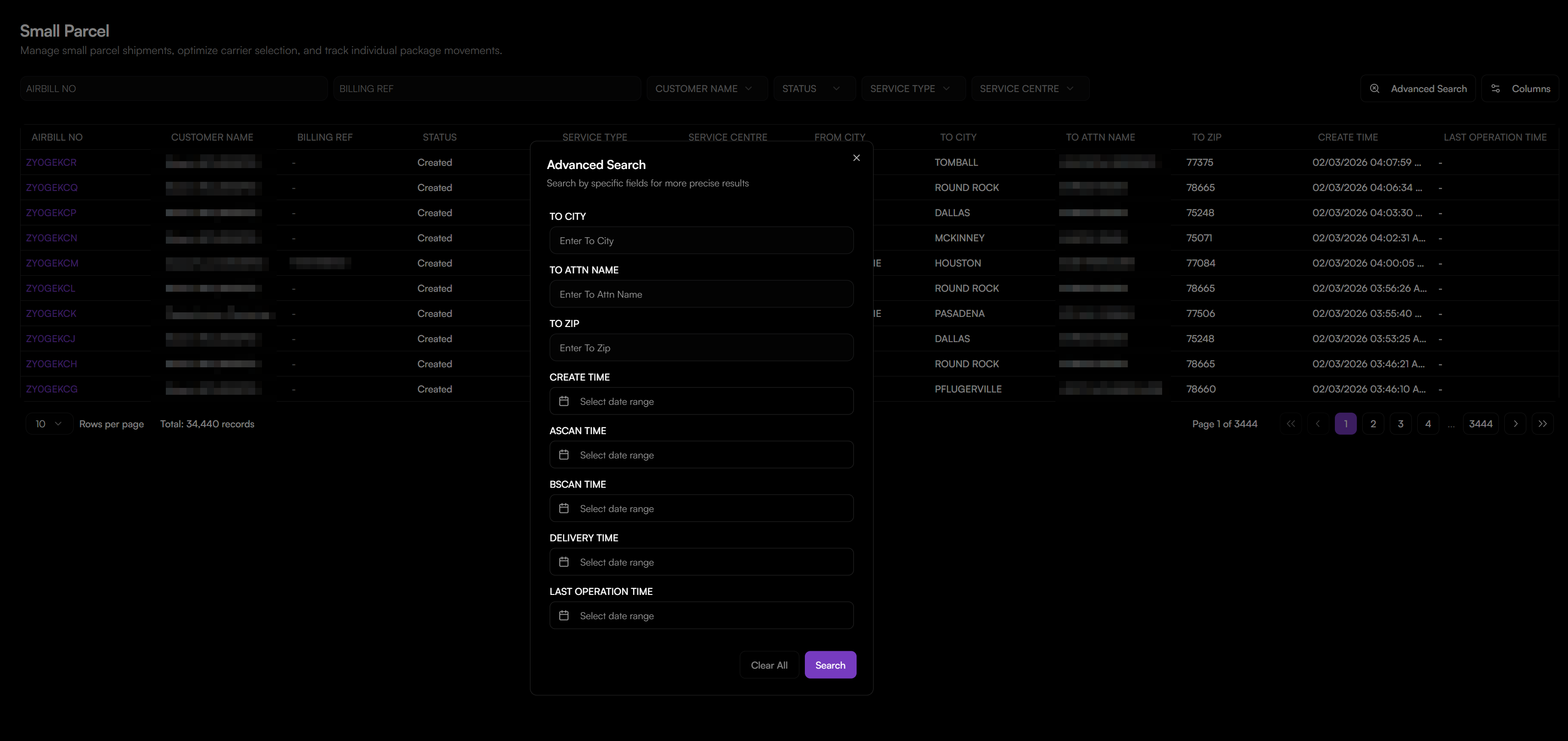
Advanced Search
For more precise queries, click the Advanced Search button to open a panel. You can search by:
- TO CITY
- TO ATTN NAME (The specific recipient's name)
- TO ZIP
- Time Ranges for:
CREATE TIME,ASCAN TIME,BSCAN TIME,DELIVERY TIME,LAST OPERATION TIME
Viewing Order Details
To see the complete information of any shipment:
- Log in to your OMS account.
- Navigate to Logistics > Small Parcel. You will be directed to the main Small Parcel orders list page.
- You can find specific shipments using two methods (Quick Filters or Advanced Search).
- Or you can also click on the Airbill Number (e.g.,
ZYOGEOVF) in the list. A detailed page will open, organized into the following sections:
- General Information: Contains the
AIRBILL NO.,CUSTOMER,BILLING AMOUNT,PICKUP TIME,ORIGINaddress, andDESTINATIONcity. - Package Details: Shows physical details like
PACKAGE WEIGHT,DIMENSIONS, andDELIVERED TIME. - Proof of Delivery (POD): Displays delivery evidence when available, including
DRIVERinfo andSIGNATURE URL. - Ship From / To: Shows the complete sender and recipient addresses.
- Tracking & Events: Lists the complete status history and tracking events of the package.
- GIS Map: A visual map showing the geographic route and location of the shipment.