AI Agent
Welcome to the Item Marketplace AI Agents hub. This platform allows you to discover, deploy, and build intelligent AI agents designed to automate complex tasks, process data, and enhance your business workflows.
Discovering AI Agents
The AI Agents tab is your primary marketplace for finding ready-to-use solutions.
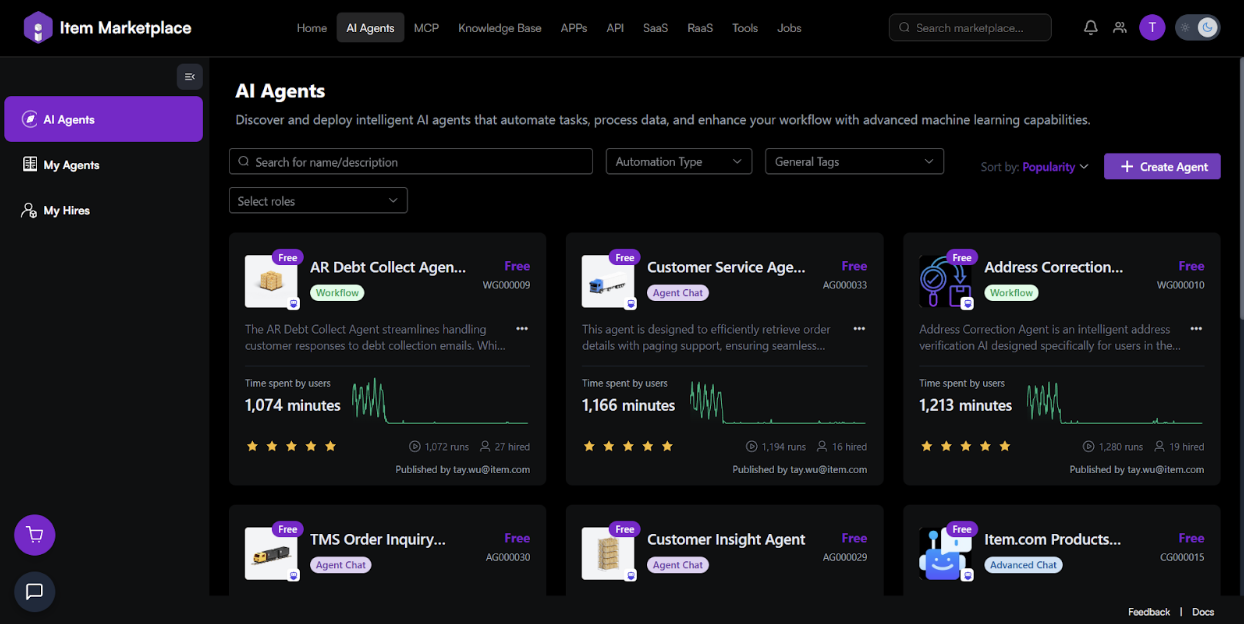
[The AI Agents marketplace dashboard featuring agent cards and search filters.]
How to Browse:
-
Search: Use the search bar to find agents by name or keyword.
-
Filters: Narrow down your search using the following dropdowns:
Automation Type: Filter by functionality (e.g., Workflow, Agent Chat).
General Tags: Filter by industry or specific use case.
Select Roles: Filter based on user roles (e.g., Customer, Distributor).
-
Sorting: Use the Sort by toggle to view agents by Popularity or other metrics.
-
Viewing Full Agent Details
Clicking on any agent card opens a comprehensive overview page. This allows you to perform due diligence before hiring an agent into your workflow.
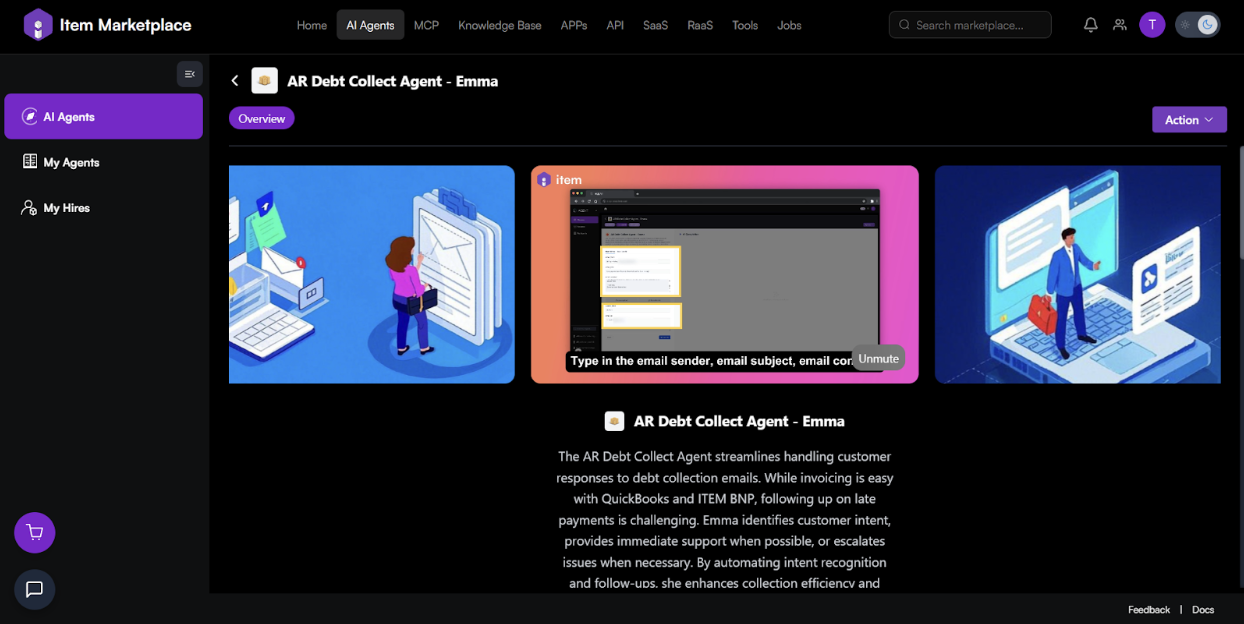
[The Agent Overview page featuring multimedia banners and a detailed utility description.]
-
Multimedia Banners: View uploaded images or demonstration videos to see the agent's interface and functionality in action.
-
Detailed Description: Read a full breakdown of the agent's capabilities, such as how it handles specific tasks like intent recognition or software integrations (e.g., QuickBooks).
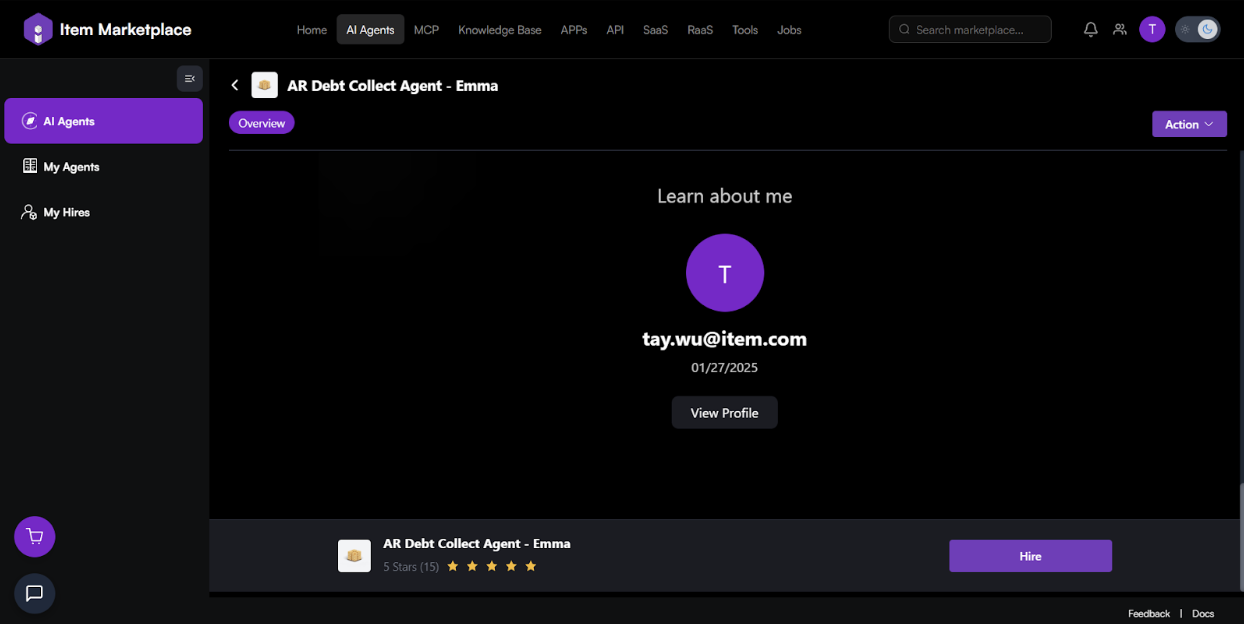 [The developer profile section and persistent hiring footer.]
-
Learn About Me: Verify the agent's creator by viewing their developer profile, contact email, and the date the agent was last updated or published.
-
Persistent Hire Bar: A footer remains visible as you scroll, displaying the agent's average star rating and providing a quick Hire button to instantly add the agent to your account.
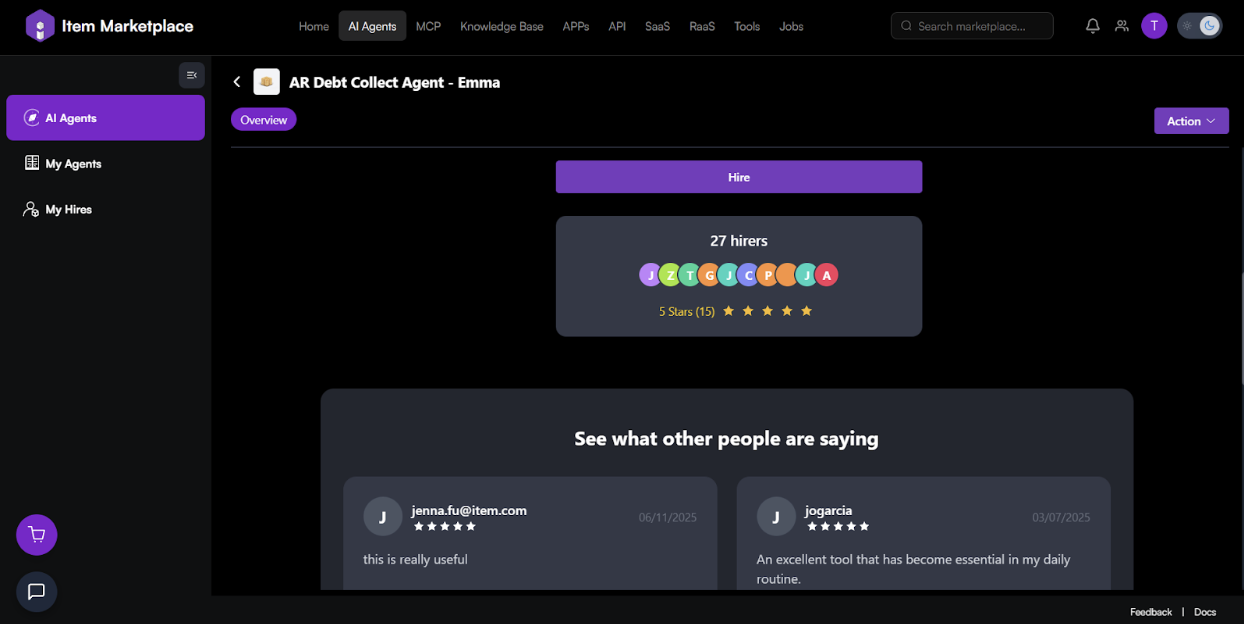
[Hirer statistics and user testimonials.]
-
Hirer Statistics: See the total number of users who have "hired" this agent, represented by a count and user avatars.
-
User Reviews: Scroll to the "See what other people are saying" section to read specific testimonials and star ratings from the community to gauge the agent's reliability.
My Hires
The My Hires section allows you to access and manage AI agents built by experts that you have deployed for your own use.
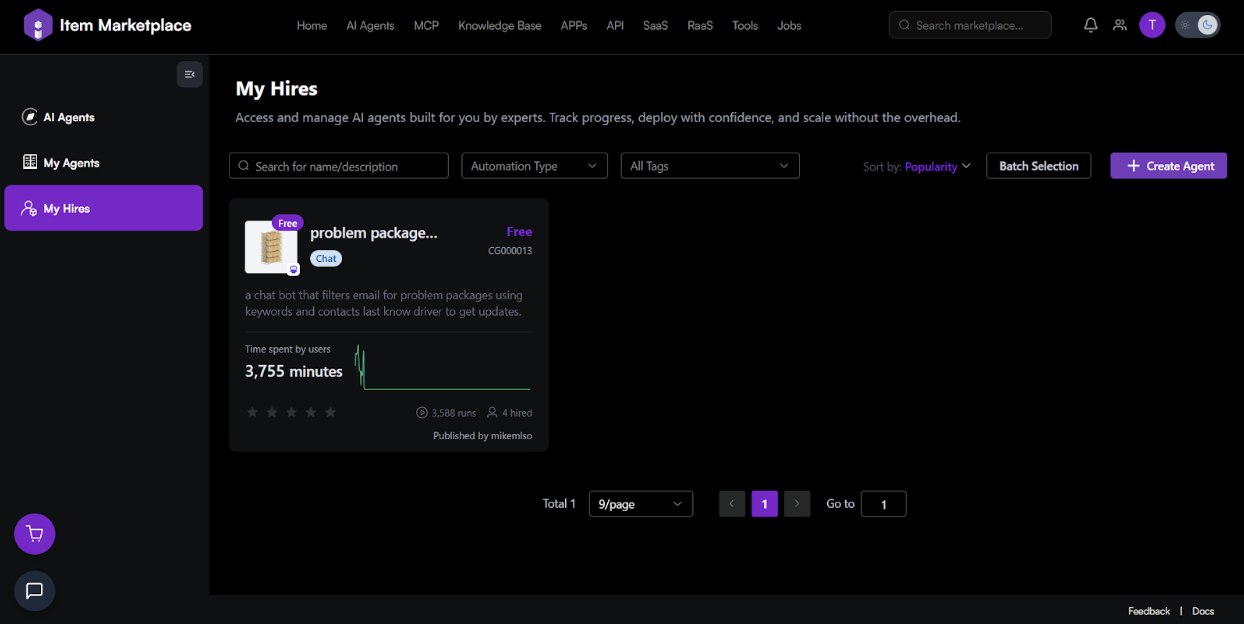 [The My Hires view showing active agents, usage time, and run counts.]
-
Track Progress: Monitor "Time spent by users" and a trend graph of agent activity.
-
Management: View the unique ID (e.g., CG000013) and status of hired agents.
-
Batch Selection: Use the "Batch Selection" button to manage multiple hires at once.
My Agents
The My Agents tab is where you build, manage, and iterate on your own custom AI agents tailored to your unique needs.
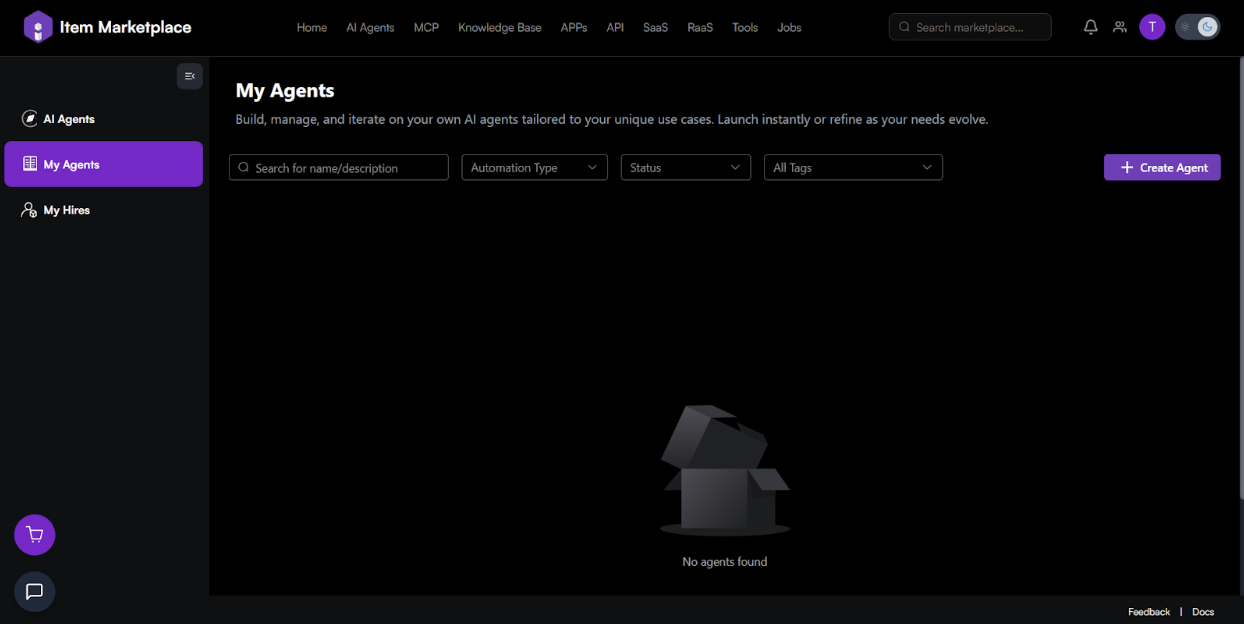 [The My Agents workspace where your custom-built agents are listed.]
-
Launch Instantly: Once built, agents appear here for quick deployment.
-
Refine: Access your existing agents to update their logic or metadata as your needs evolve.
Creating a New Agent
To start building, click the + Create Agent button found in the top-right corner of the interface.
Step 1: Application Type & Basic Info
Select the foundation of your AI and provide identifying details.
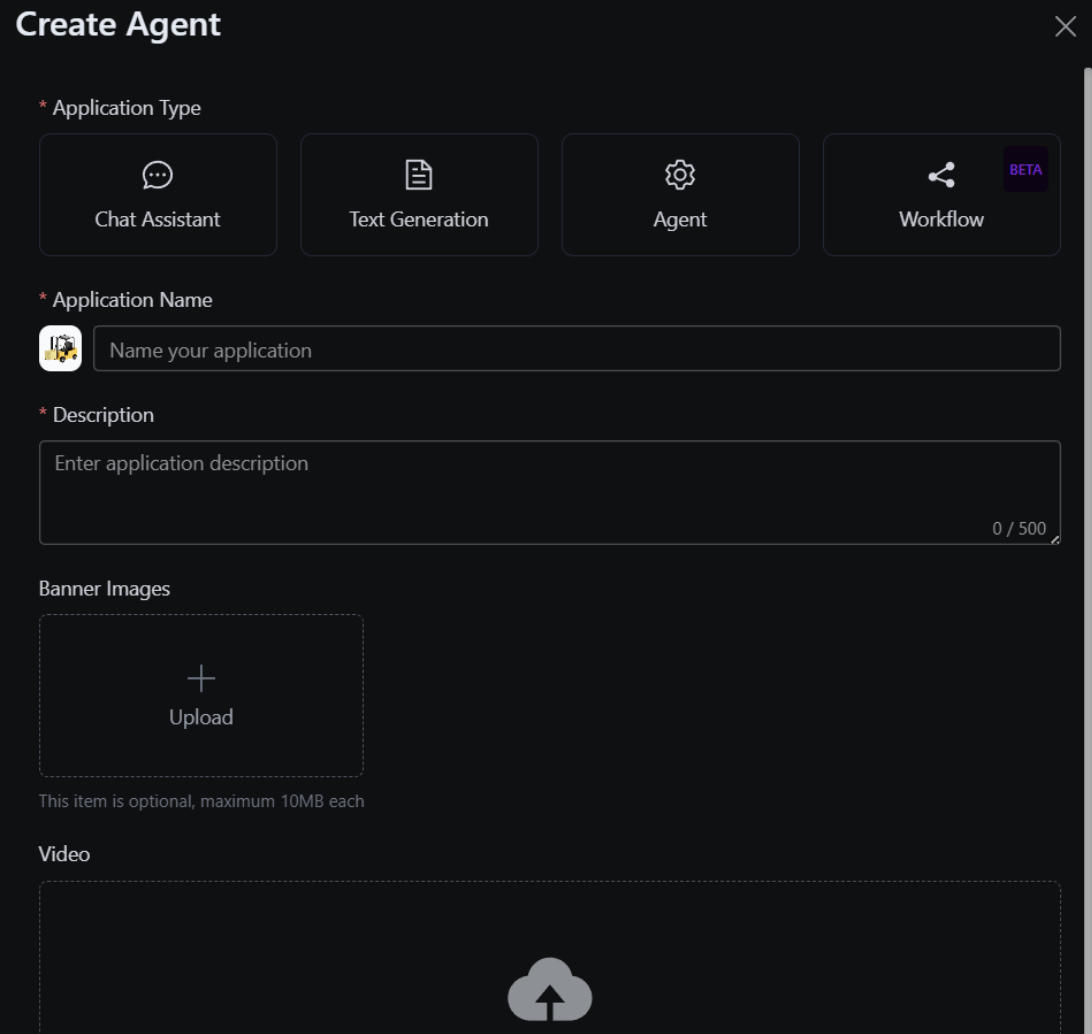 [Selecting the Application Type and entering the Name and Description.]
-
Application Type (*): Choose from Chat Assistant, Text Generation, Agent, or Workflow (Beta).
-
Application Name (*): Give your agent a unique name and upload a custom icon.
-
Description (*): Summarize the agent's purpose (up to 500 characters).
(*) - required
Step 2: Media, Permissions & Tags
Finalize the visual presentation and access levels for your agent.
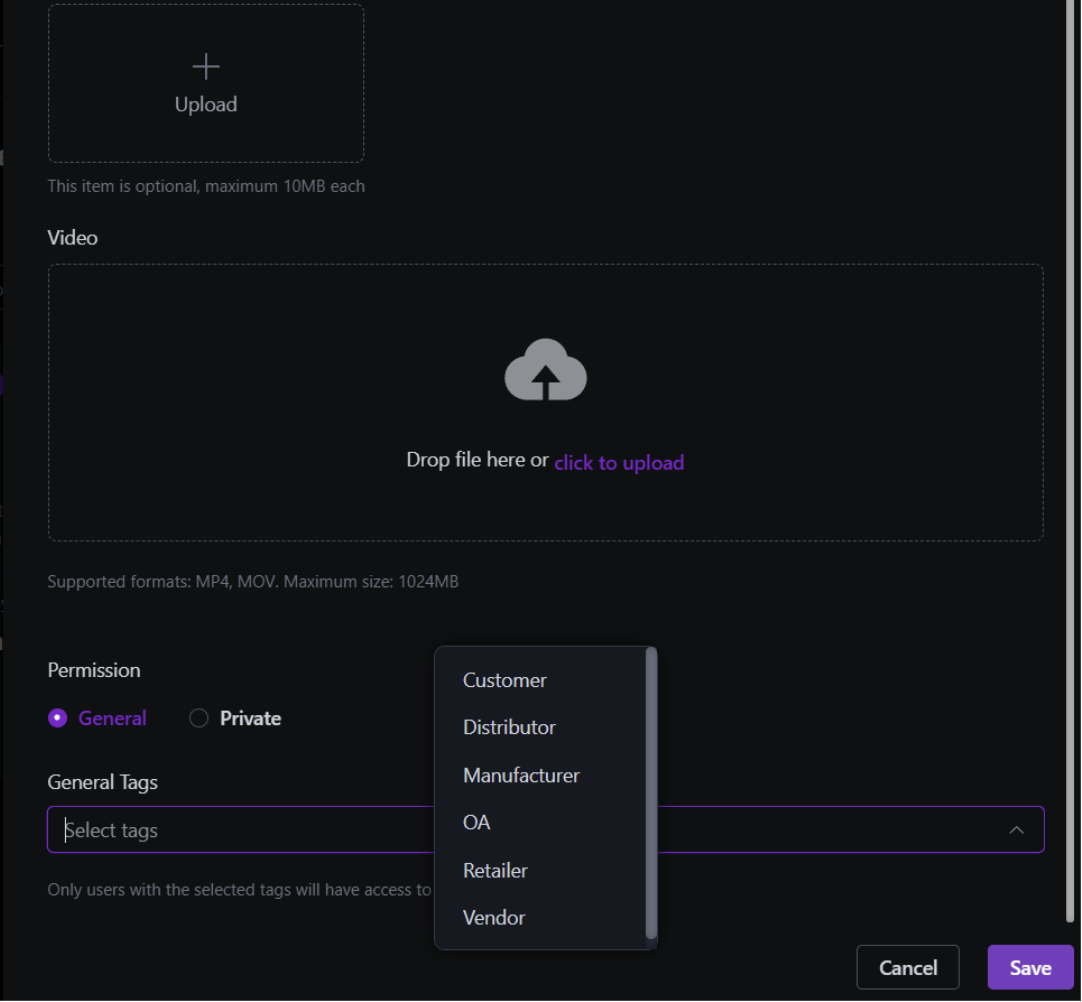 [Configuring Video uploads, Permissions, and General Tags.]
-
Banner Images: (Optional) Upload images to represent your agent (Max 10MB each).
-
Video: (Optional) Upload a demonstration video (MP4/MOV, Max 1024MB).
-
Permission(*): General: Available to users based on tags.
- Private: Restricted to your view only.
-
General Tags: Tag your agent (e.g., Customer, Vendor, Retailer) to ensure it appears in the correct marketplace categories.
Click Save to finalize your agent.
Frequently Asked Questions (FAQ)
Q: What is the difference between an "Agent Chat" and a "Workflow"?
A: Agent Chat is built for interactive conversation. Workflow (currently in Beta) is designed for multi-step automated processes that handle data and tasks with minimal manual intervention.
Q: How do I know if an agent is popular?
A: Look at the "Time spent by users" metric and the star ratings on the agent card in the Discovery tab.
Q: Can I change a "General" agent to "Private" later?
A: Yes, you can edit these settings at any time from the My Agents management screen.