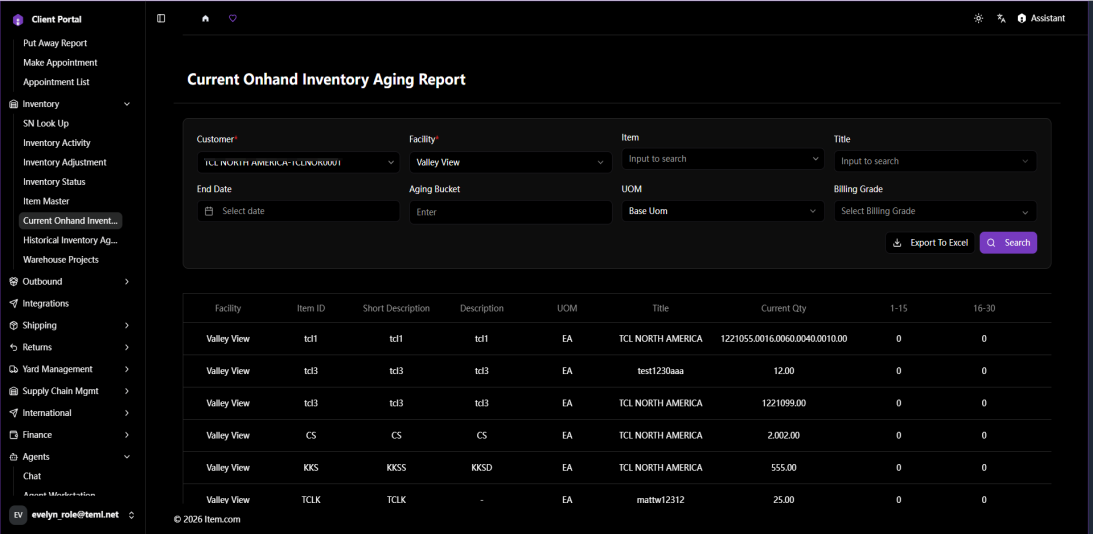
Current Onhand Inventory Aging Report
The Current Onhand Inventory Aging Report shows how long current on-hand inventory has been stored, grouped by ageing buckets (1-15, 16-30, 31-45, 46-60...316-330, 330+ days).
Operating Steps
- Navigate to Inventory → Current Onhand Inventory Aging Report
- Select Customer and Facility, then click "Search"
- Click "Export to Excel" to download
Screenshots