Invoice
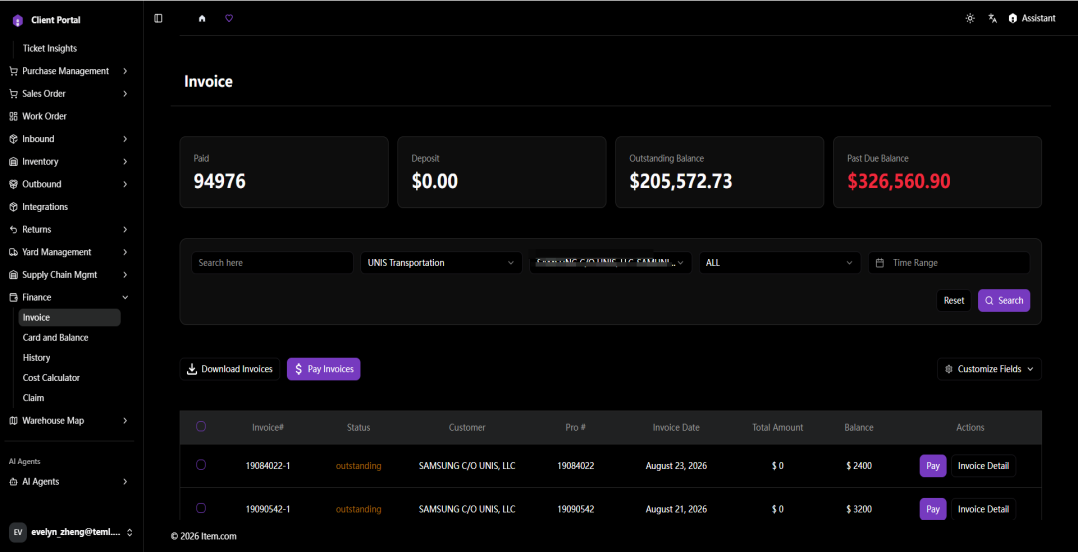
The Invoice page provides access to Invoice with line-item charges.
Operating Steps
- Navigate to Finance → Invoice
- Filter by Customer, Status and date range, then click "Search"
- Click "Invoice Detail" to view the invoice details
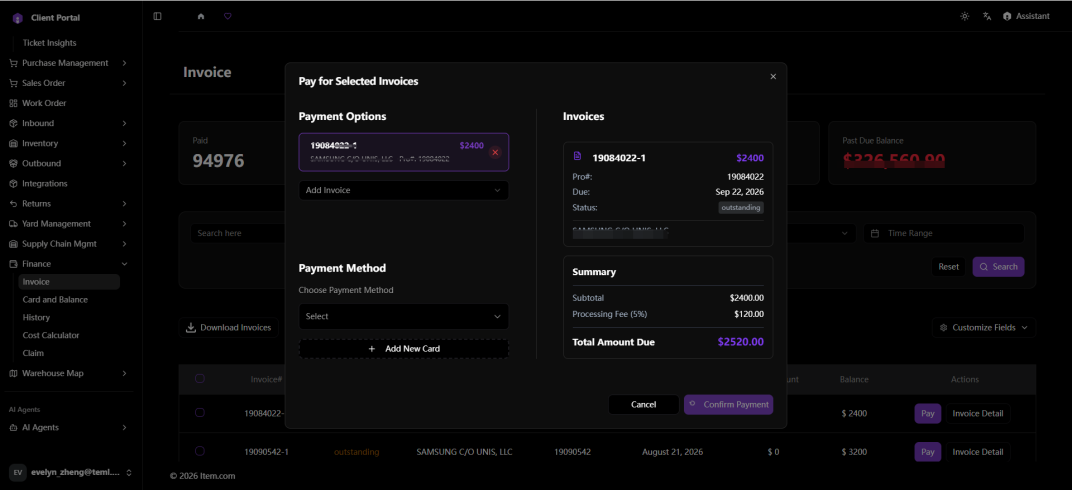
- Click "Pay" to pay for the selected invoices
- Click "Download Invoices" to save the invoice
Screenshots