Merchant
Add a New Merchant
Add new merchants for a business entity that requires data integration.
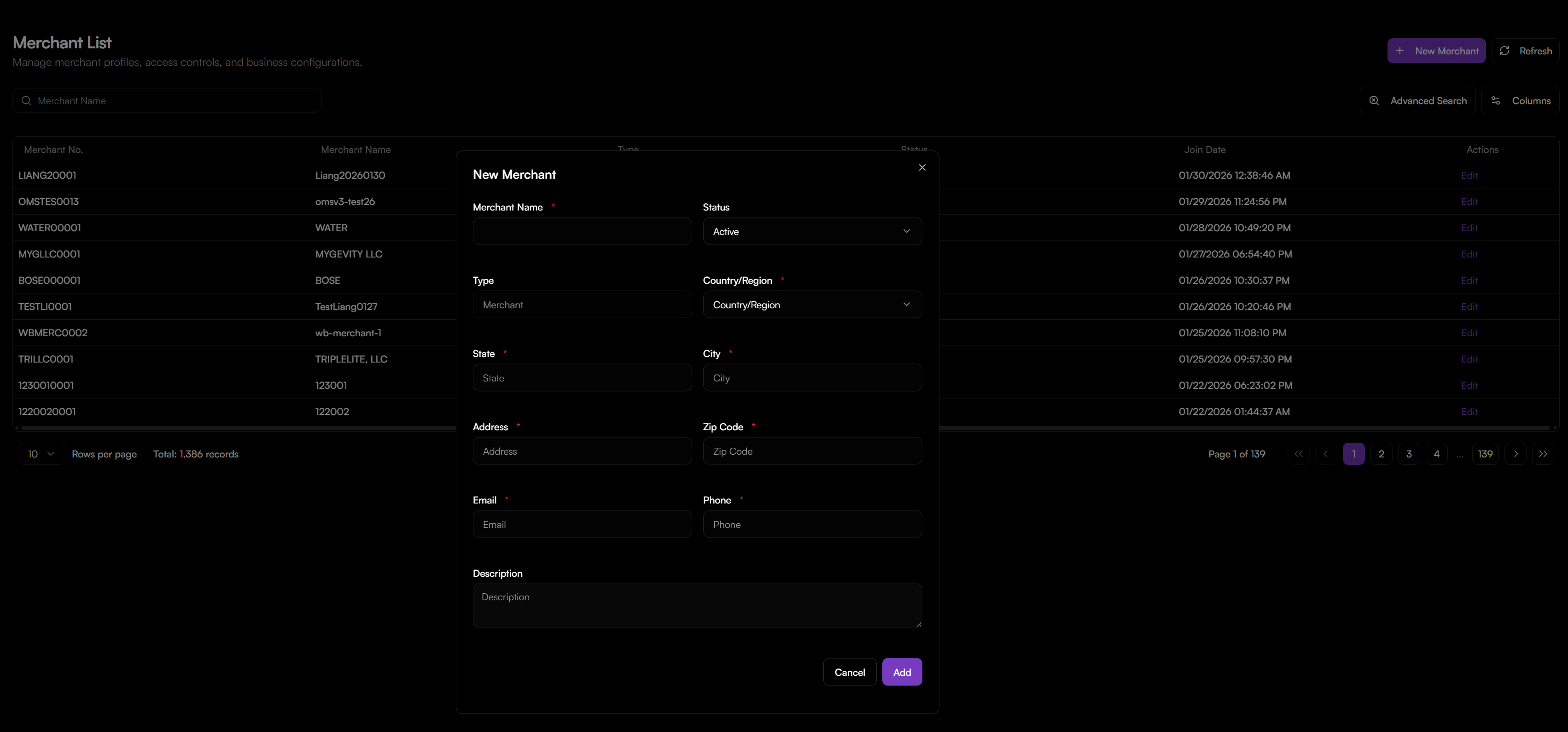
To add a merchant:
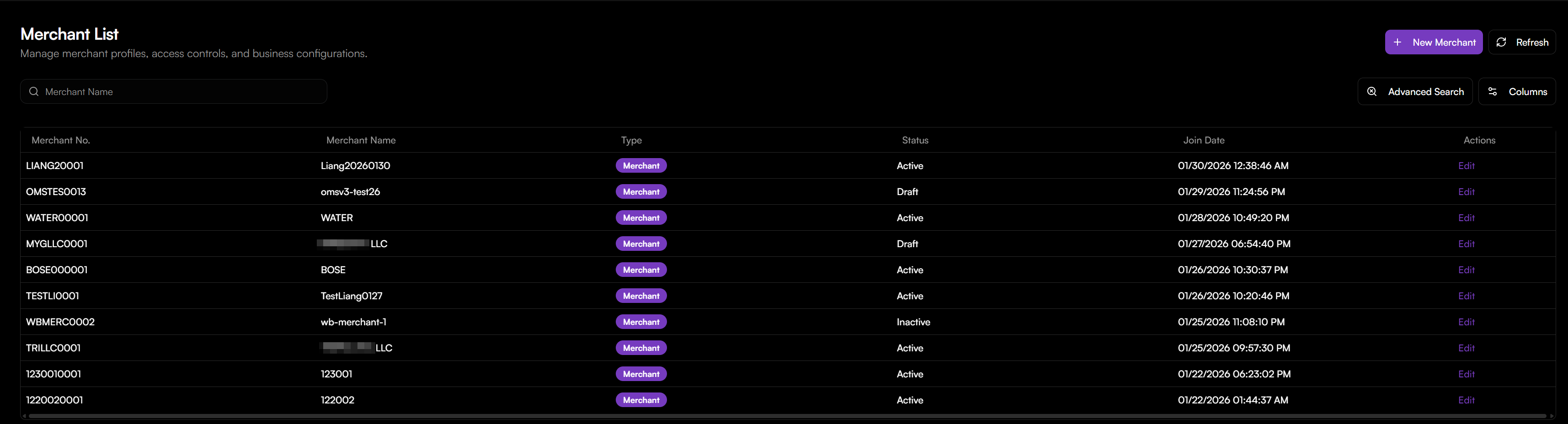
- Navigate to the top navigation bar and click on the Merchant tab. You will be directed to the Merchant List, which provides an overview of all existing profiles and their current statuses (e.g., Active, Draft, or Inactive).
- Click the + New Merchant button located in the top-right corner of the interface.
- In the New Merchant dialog, fill in the following required fields:
- Merchant Name: Enter the legal or trade name of your organization.
- Status: Set to Active to enable the profile immediately upon creation.
- Enter the physical location details for the merchant:
- Country/Region, State, City, Address, and Zip Code.
- Provide the primary contact communication channels: Email and Phone.
- (Optional) Use the Description field to add internal notes regarding the account's purpose or specific business constraints.
Once the merchant is created, it will appear in your Merchant List with a unique Merchant No.