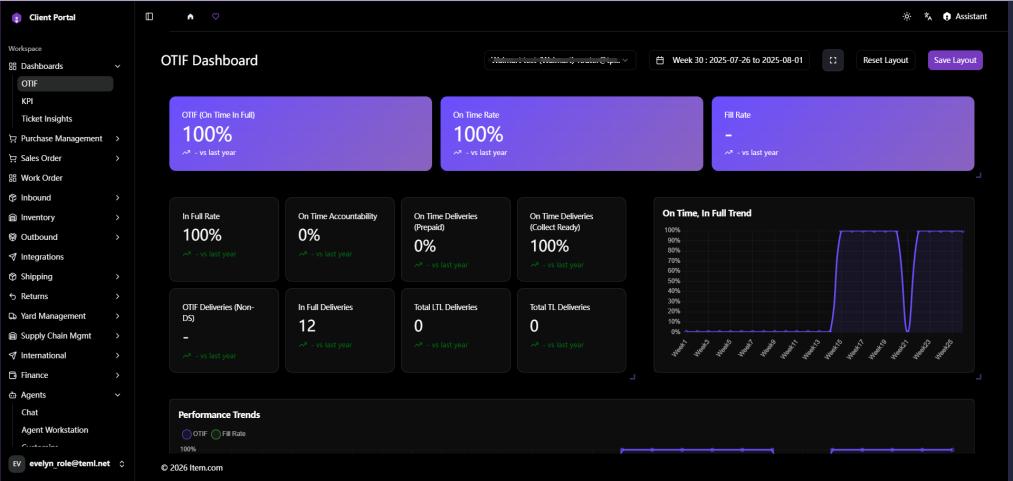
OTIF Dashboard
The OTIF Dashboard tracks On-Time In-Full compliance metrics for major retail partners including Walmart, Target, and others. Metrics include OTIF %, On-Time Rate, In-Full Rate, and Performance Trends.
Note: Requires OTIF access setup. See Section 15.3 for setup instructions.
Operating Steps
- Navigate to Dashboards → OTIF Dashboard
- Use the date range selector to set the reporting period
- Review of compliance rates and trend charts by retailer
Note: OTIF dashboard data is sourced from third-party retailer platforms via the credentials and data scope configured in System Management → Settings. Administrators must first configure the pull credentials (Username, Password, API Key, OTP) and Facility scope for each Retailer in Settings; unconfigured Retailers/Facilities will display no data.
Screenshots