Claim
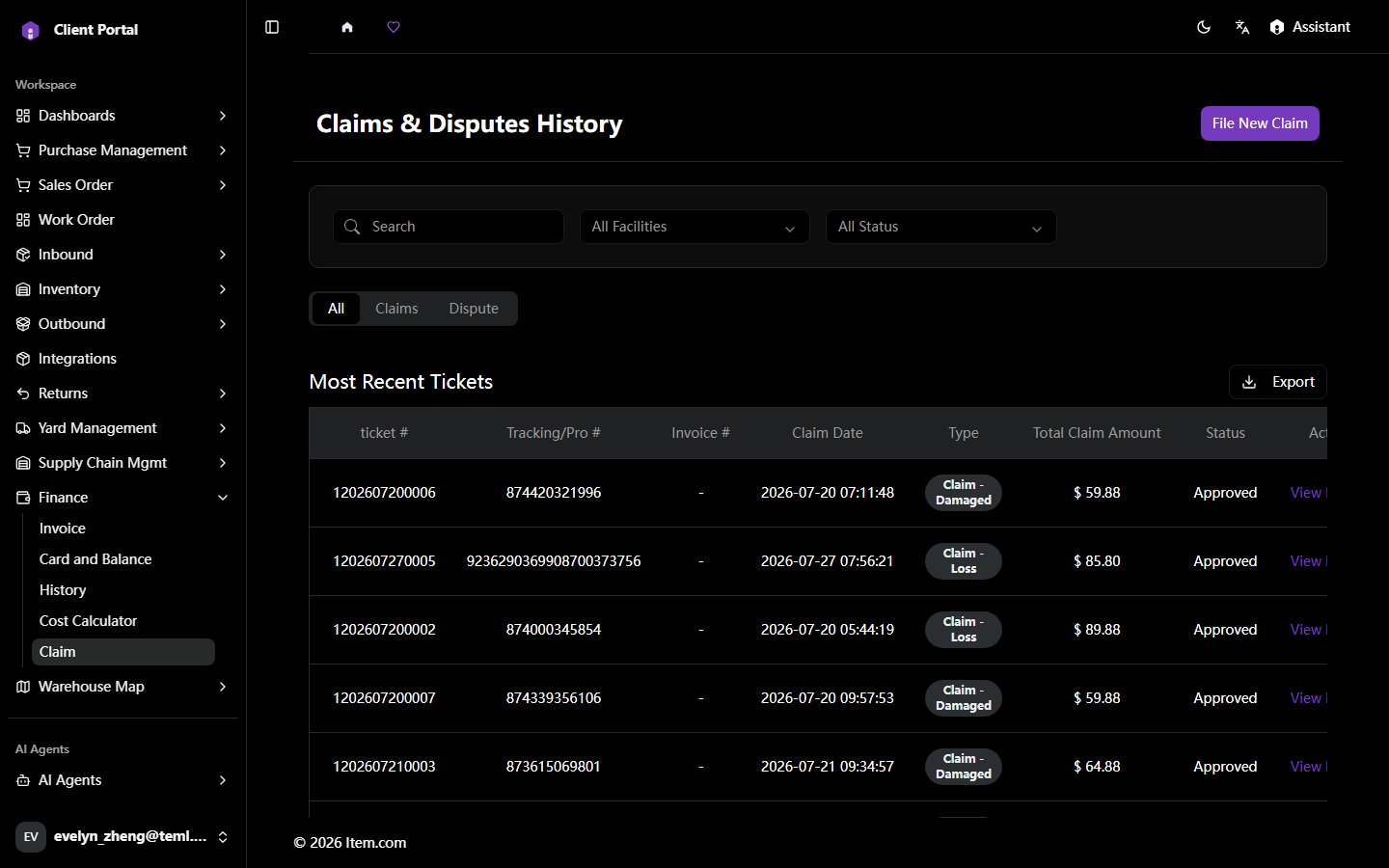
The Claims & Disputes History page is the central hub for managing all financial claims and disputes. The results table shows Ticket, Tracking/Pro #, Invoice, Claim Date, Type, Total Claim Amount, and Status. File new claims, view claim details, upload supporting documents.
Operating Steps
- Navigate to Finance → Claim
- Click "File New Claim" to submit select Claim Type, enter details, click "Submit"
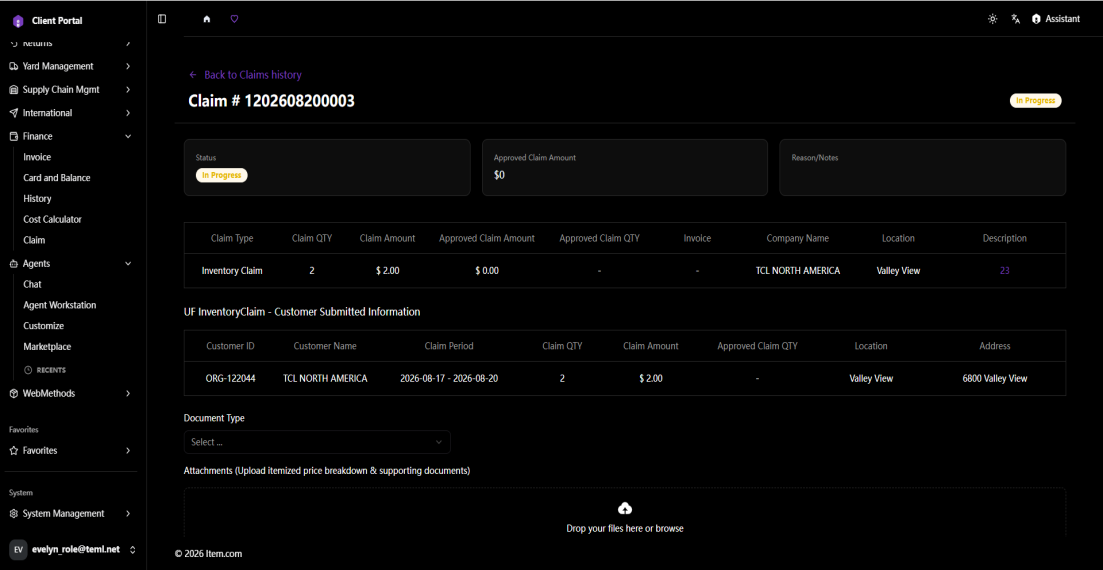
- Click "View Details" in the Action column to open claim detail
- Upload supporting documents by drag-and-drop or click upload icon (max 20MB per file)
- Click "Update Claim" to save all changes
Screenshots