View Raw Order Data
Raw Data is the original, unprocessed order information sent directly from the sales channel (Amazon, Shopify, etc.) to the system. It serves as the Source of Truth. If an order looks incorrect in the system, you can use Raw Data to see exactly what the marketplace sent before the system processed it.
Prerequisite
- Raw Data is only accessible for orders processed through item DI.
- Sales channel connectors and order retrieval flows are active either in item DI or item OMS.
View the Raw Order Data
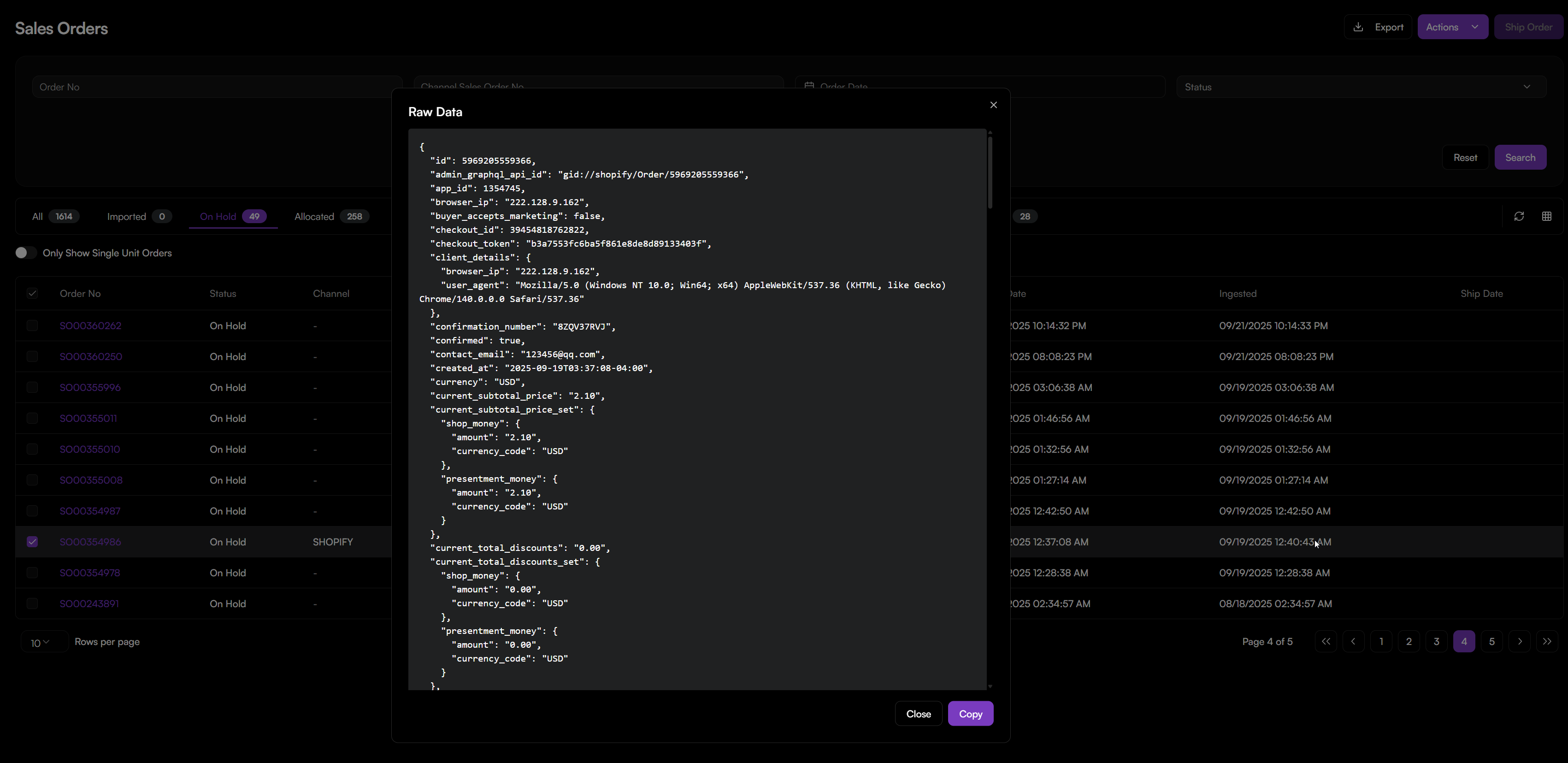
- Navigate to Sales Orders > Sales Orders.
- Select Raw Data from the Actions menu.
- A pop-up window will display the original data string represented in JSON format.
- Click Copy to save it.
Note: If you see No raw data, please view order details, it indicates that the order source is not synced via item DI, either imported or created manually, and no external API payload exists.
Troubleshooting
If you are investigating an order issue, follow these steps:
- Check the Source of Truth: Open the Raw Data.
- Verify the SKU: Look for
"SellerSKU". If this doesn't match your OMS Product record, the order won't sync correctly. - Check the Totals: Look for
"OrderTotal". If this matches the marketplace but not the OMS, there is a mapping error in the integration. - Confirm the Address: If an order has a Shipping Error, check if
"ShippingAddress"in the Raw Data is missing a Postal Code or City.
Note: Raw Data is for viewing only. You cannot edit this information. If the Raw Data itself is incorrect, the issue must be resolved in the Sales Channel.