Navigating the Interface
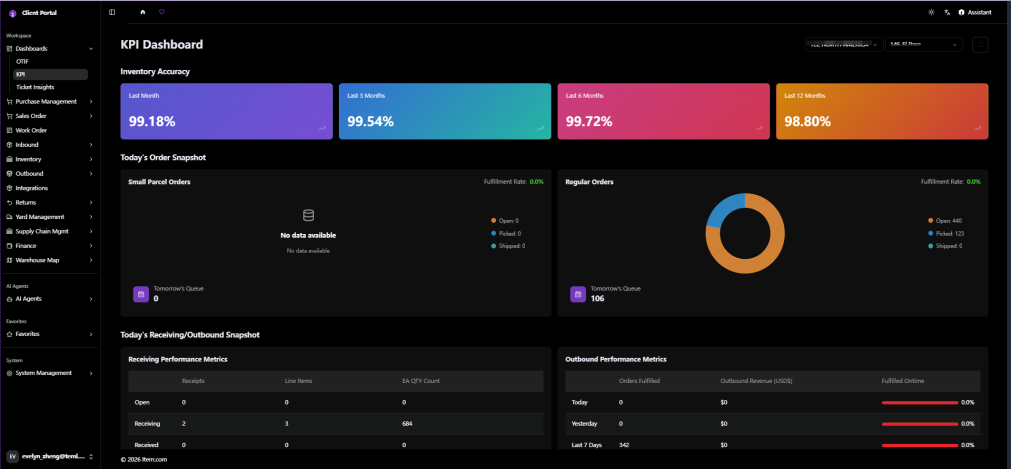
The Item Client Portal features an intuitive sidebar navigation with the following key components:
- Home Tab — Left sidebar containing all supply chain management pages in expandable sections
- Agents — AI-powered agents' section
- Favorites — Quick access to frequently used pages
- User Profile / Logout — Located at the bottom of the left sidebar
- Main Content Area — Central workspace displaying the selected page
- AI Assistant — Right-side panel for intelligent navigation support and supply chain inquiries
Screenshots