Fulfillments
The Fulfillments List provides a quick view of all completed or in-progress shipments. You can track the end-to-end status of shipment records, including the lifecycle of an order from initiation to final delivery.
Fulfillment List
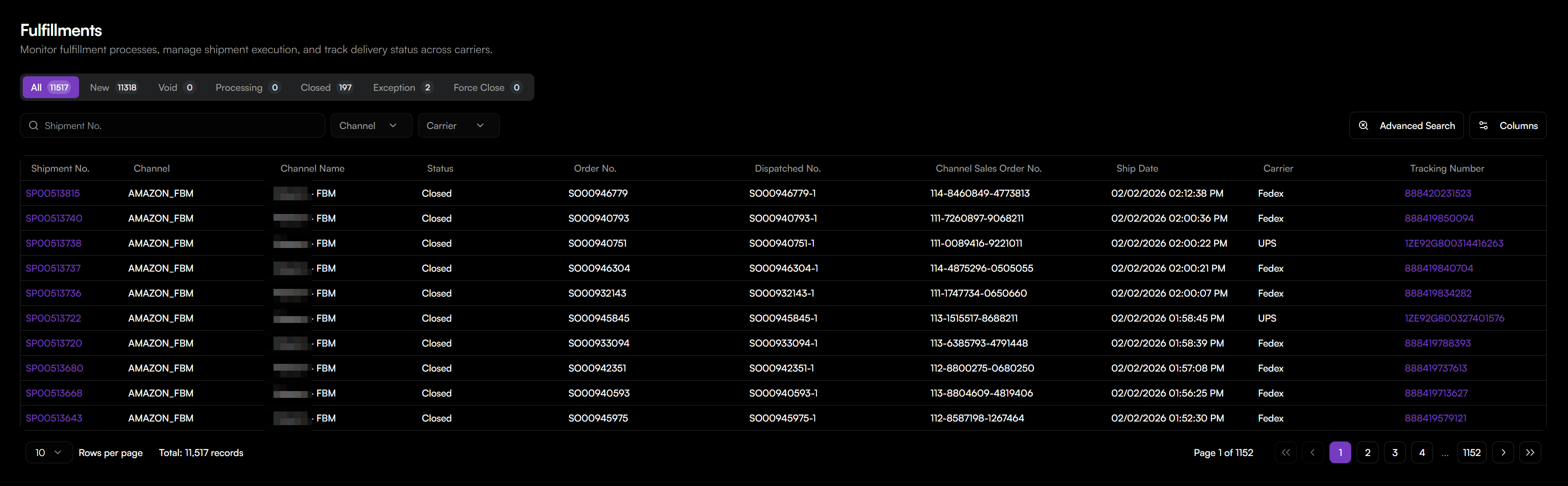
The Fulfillment List displays individual shipment records including:
- Shipment No.: Unique identifier for the fulfillment record.
- Channel, Channel Name: Sales channel information.
- Status: Current lifecycle status of the shipment.
- Dispatched No.: Internal dispatch number.
- Channel Sales Order No.: Sales order number(s) from the third party channel.
- Tracking Number: The carrier-provided tracking number.
To locate a specific fulfillment, filter by Shipment No., Order No., Carrier, or Tracking No..
Track Fulfillment Status
Use the Status Filters to quickly view fulfillments by status.
- New: A fulfillment record has been created, awaiting initial processing.
- Void: The fulfillment record has been canceled or invalidated.
- Processing: The fulfillment process has begun (e.g., picking, packing).
- Closed: The fulfillment process is complete, typically meaning the shipment has been delivered to the customer.
- Exception: An issue has occurred with the fulfillment requiring attention.
- Force Close: The fulfillment record was manually closed by an administrator.
View Shipment Details
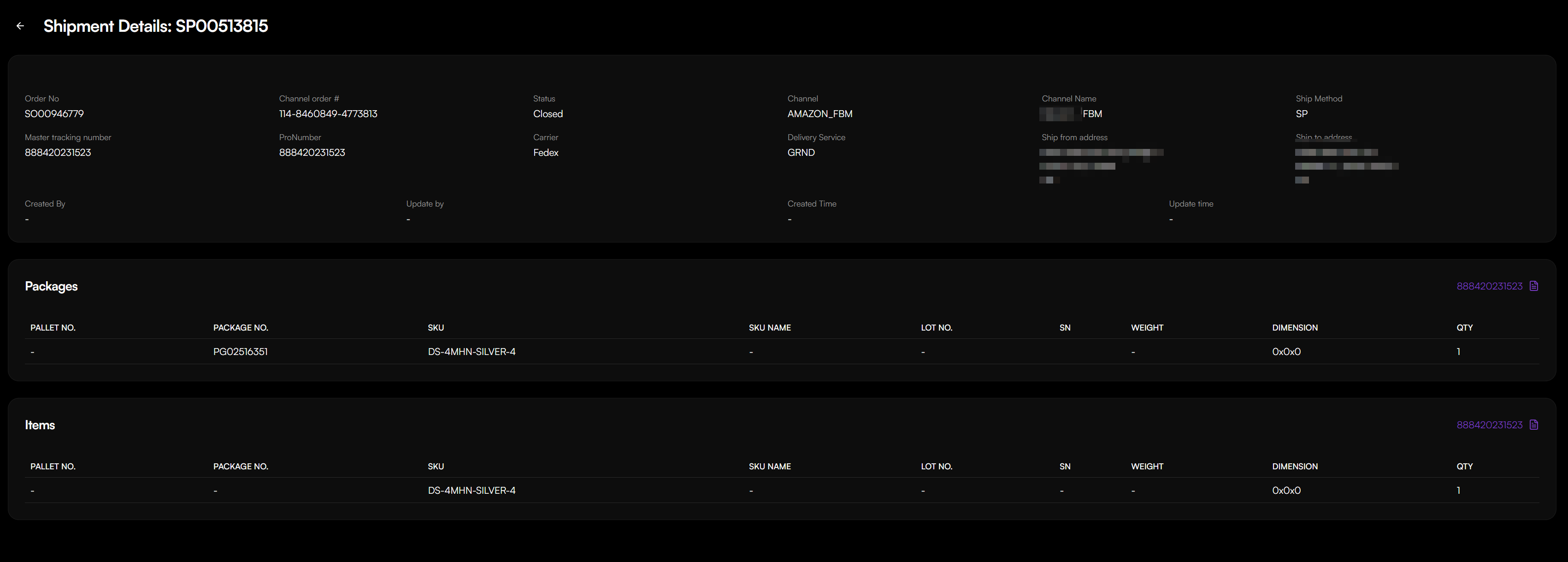
To view Shipment Details, click on a Shipment No. in the table to open the Shipment Details view. This provides:
- Basic Order Information: Overview of the associated order and tracking.
- Shipping & Delivery Information: Carrier, delivery service, and shipping addresses.
- Packages Section:
- Pallet No., Package No., Lot No.: Physical packaging details originating from the WMS.
- SKU, SKU Name: Identification of items within each package.
- Weight, Dimension, Qty: Physical attributes of the packaged items.
- Items Section: A list of individual items included in the shipment.
Key Distinction between Shipping Request and Fulfillment Record
- Shipping Request: Provides the internal operational stages (e.g., Picking, Packing) within the warehouse. Its "Shipped" status indicates the warehouse has completed its task.
- Fulfillment Record: Provides the overall user-facing journey of the goods. Its "Closed" status typically signifies successful delivery to the customer.