Organization
The organization module in WMS is designed to manage all business-related entities involved in warehouse operations.
Unlike a traditional organizational hierarchy (such as department or internal teams), organization represents business entities with different roles and attributes within the system. The flexible structure allows WMS to support multiple business models, customer types, and operational scenarios within a single system.
The organization module provides functions to create, manage and query organization records, ensuring accurate master data for downstream processes such as orders, inventory, billing, and reporting.
Add New Organizations
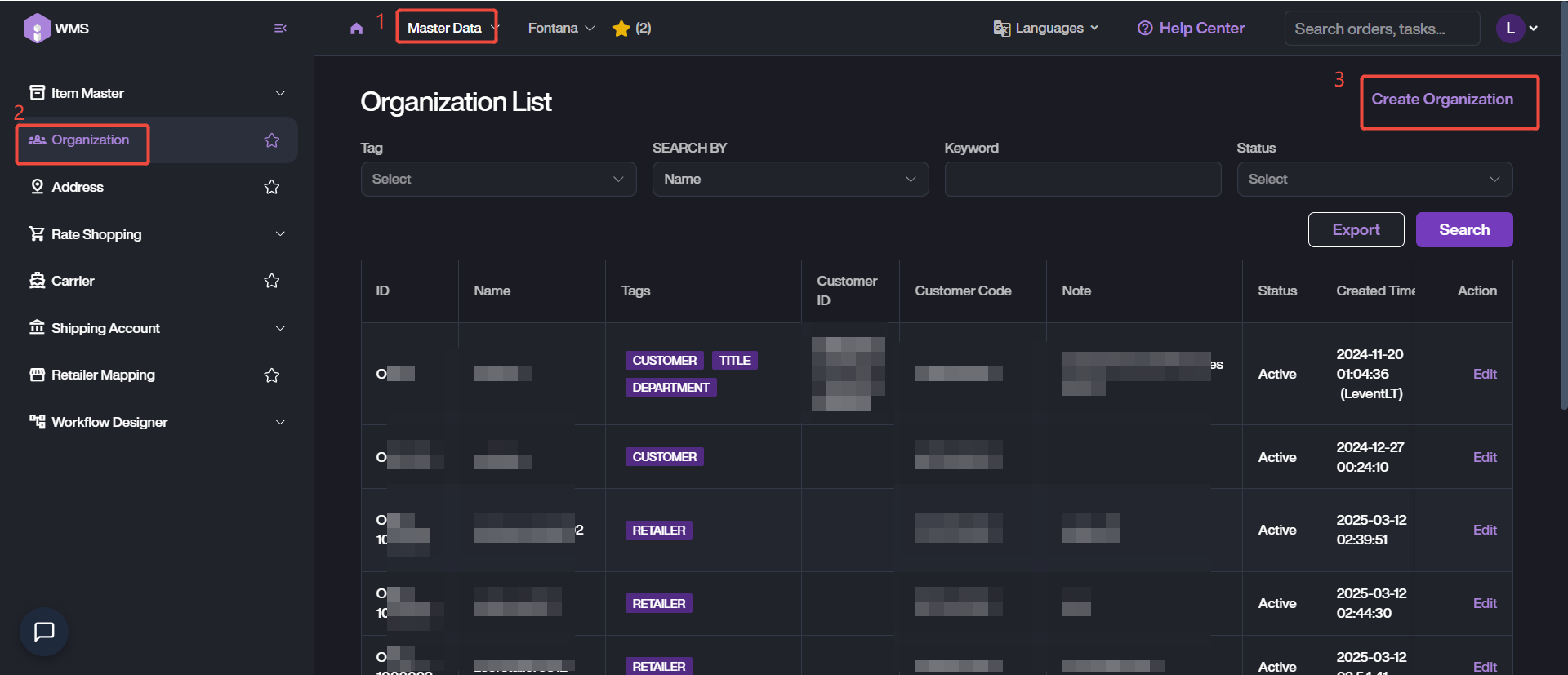
- User can add a new organization by navigate to Master Data Module > Organization, clicking on Create Organization to start this process.
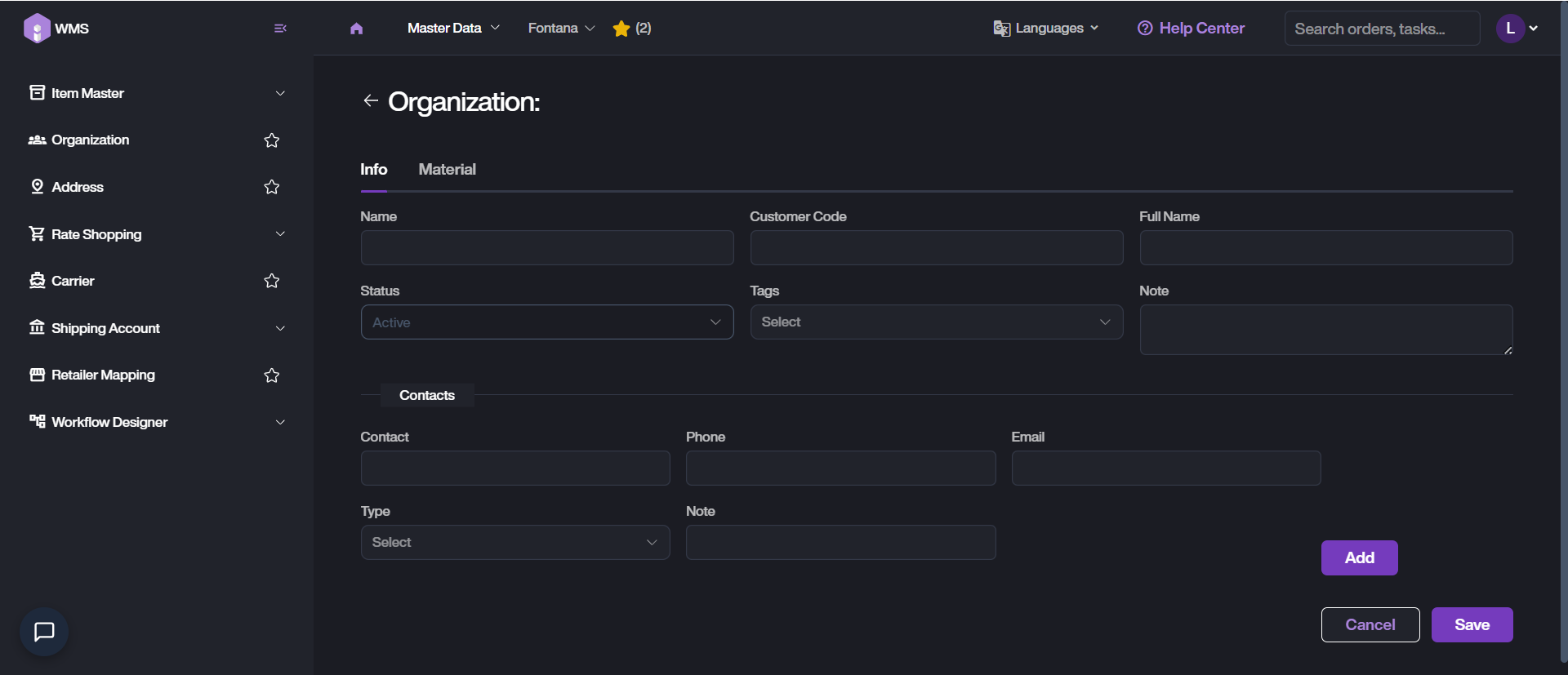
- Provide the basic and business-related information, such as Name, Full name or Contacts info.
-
Choose the tags for this organization, multiple options are supported.
-
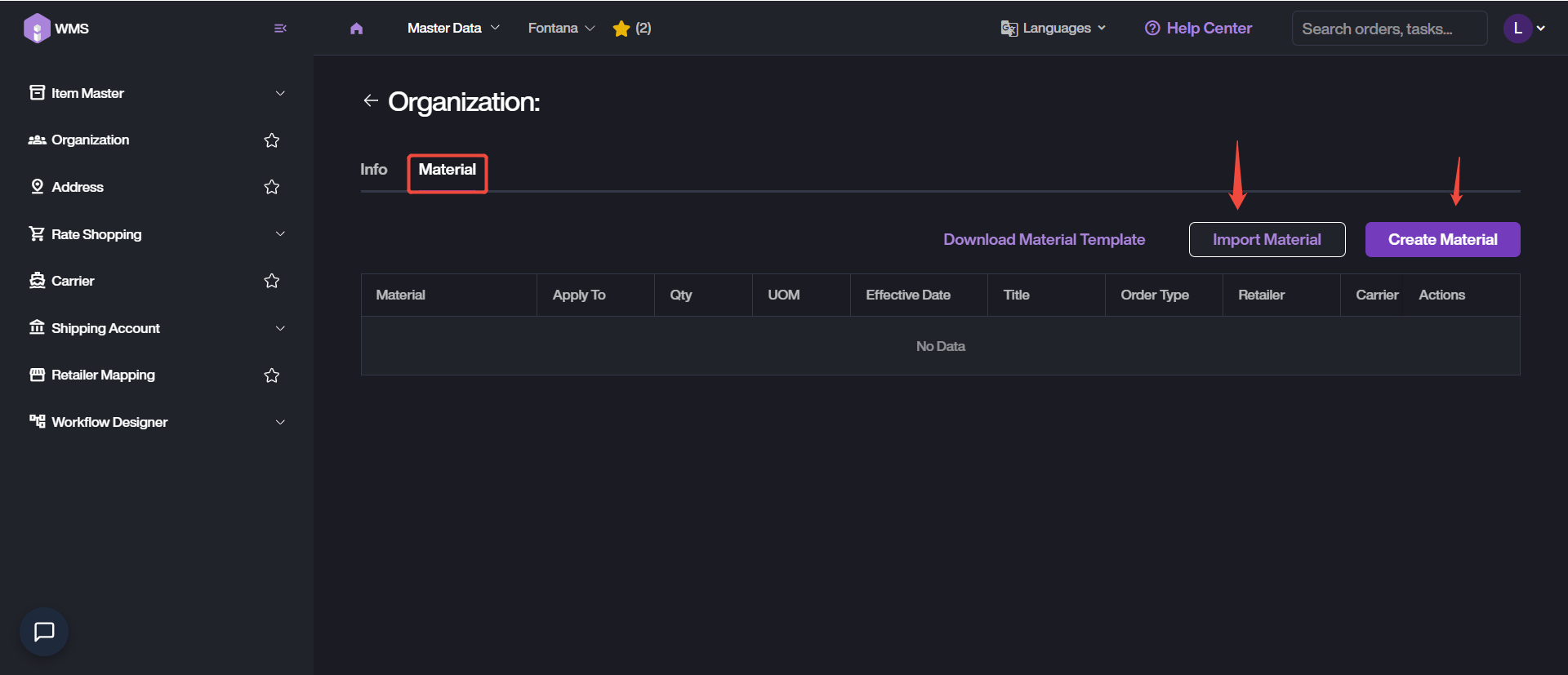
For organizations that require material-level management, please switch to Material tab. Then define which materials belong to this organization.
-
It supports to Import Material in bulk, or Create Material in manual. Complete the conditions and material configurations setting. Click on Save to proceed.
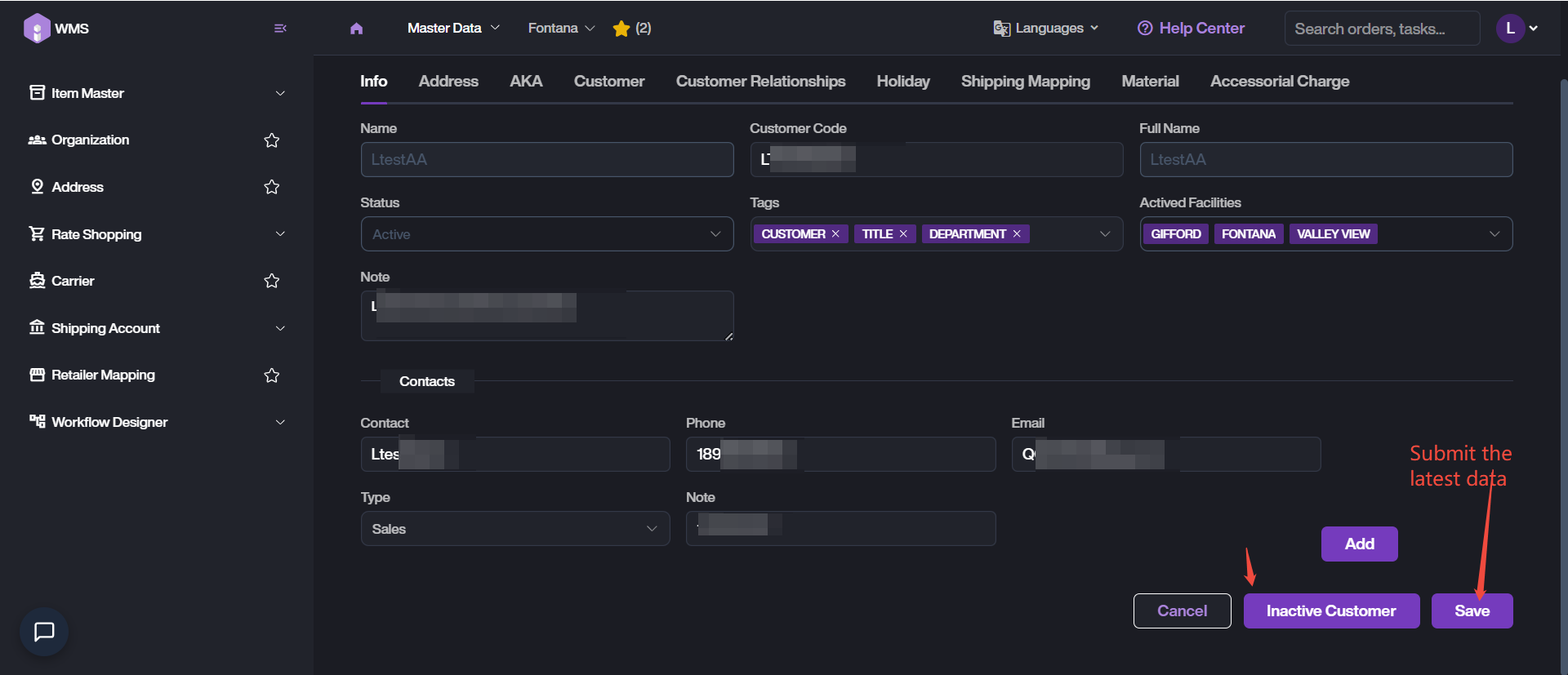
- Return back to Info tab and Save the latest data.
Search for Organizations
WMS provides flexible query and search functions to help user quickly locate organization records.
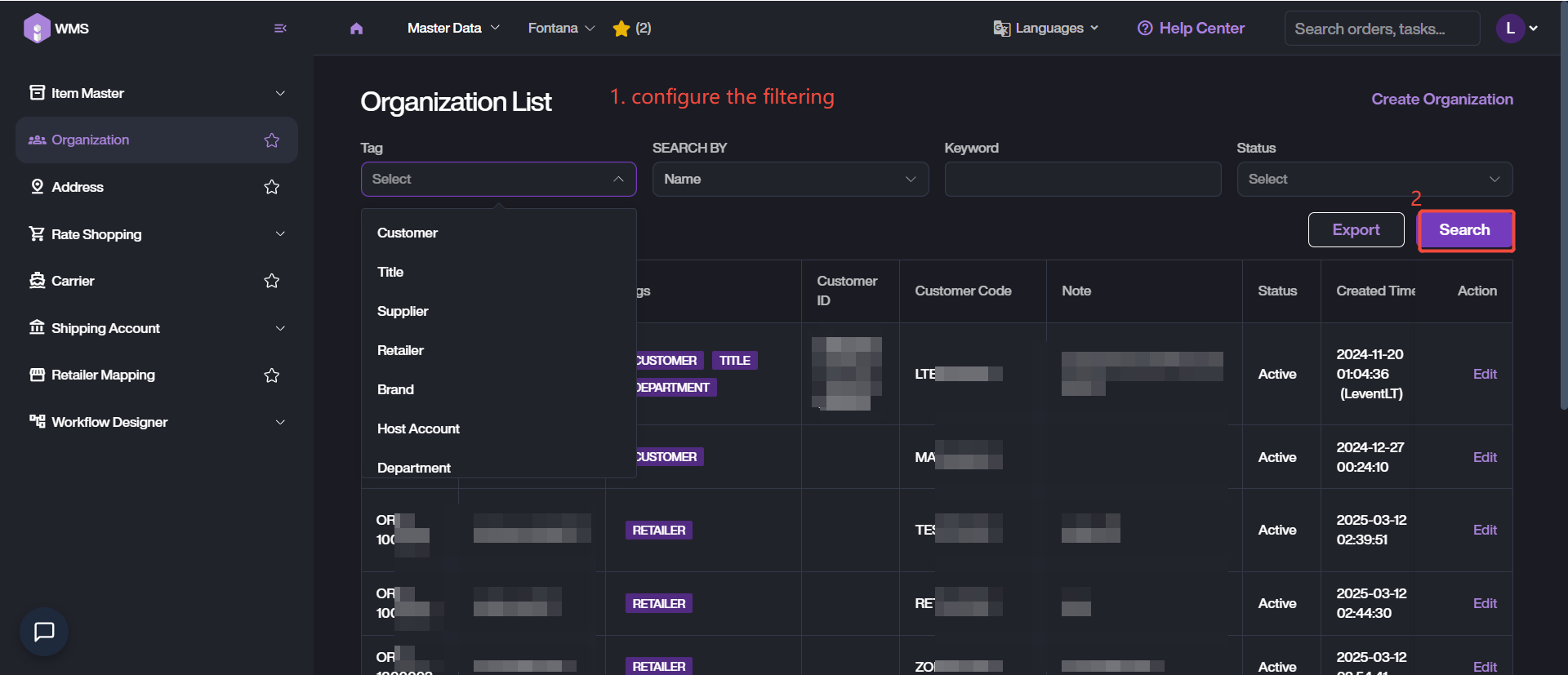
It supports to search by tag, organization name, keyword and status.
-
Navigate to Organization list via Master Data > Organization.
-
Customize the filtering conditions, then click Search to retrieve the target organizations.
Edit Existing Organizations
It supports to update information related to organizations, please locate the target organization then click on Edit action button.
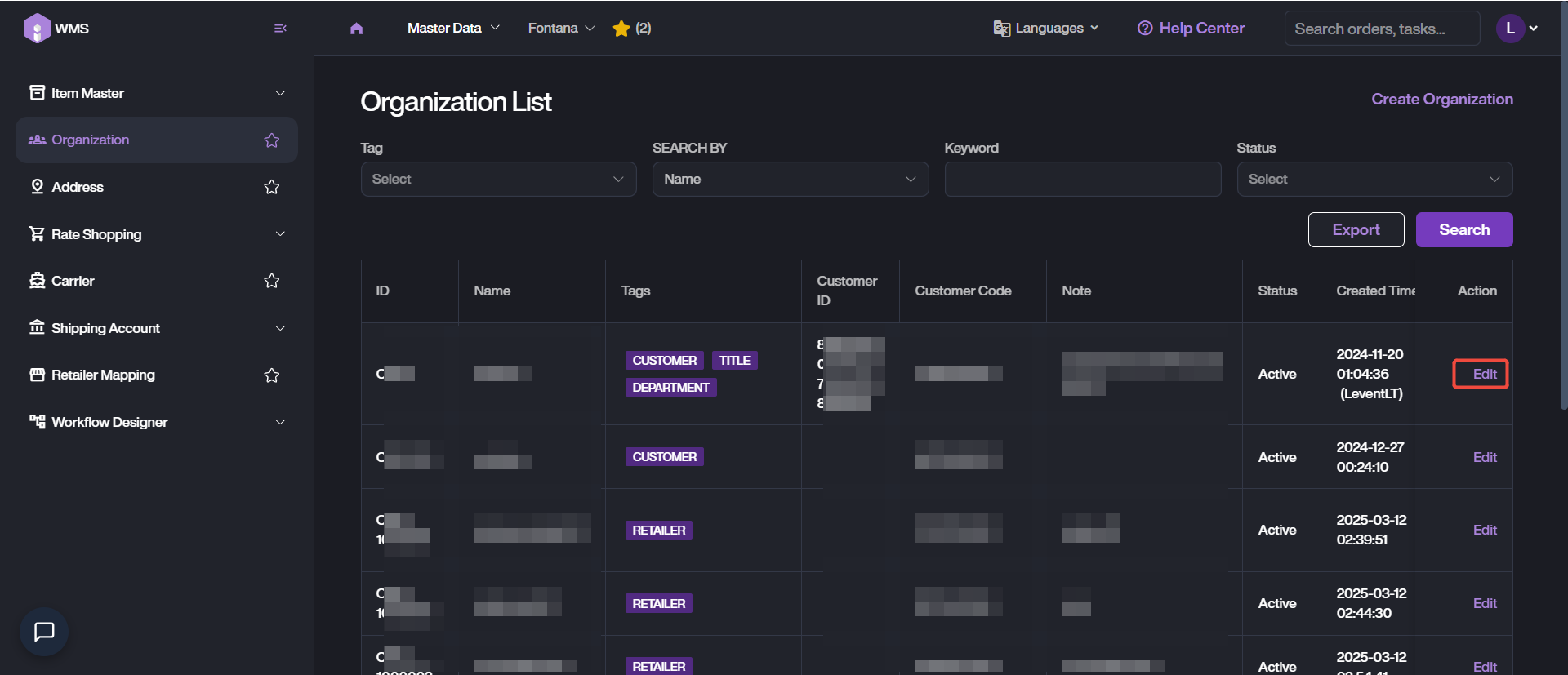
Modify the information on different tab pages, then Save the latest data.
If the organization which is not required or temporarily out of use, you can Inactive Customer.