Settings
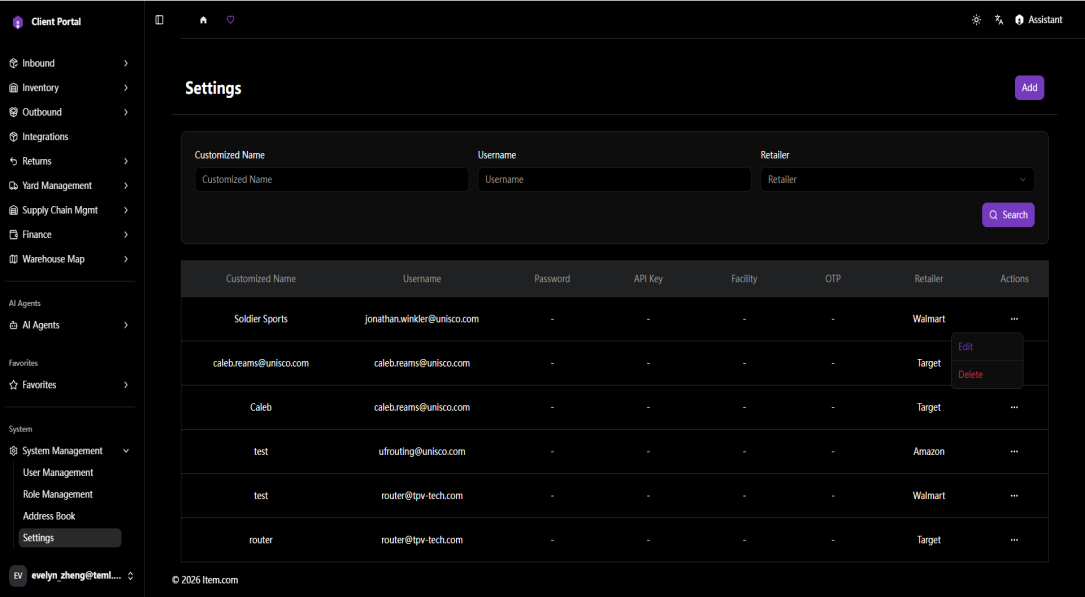
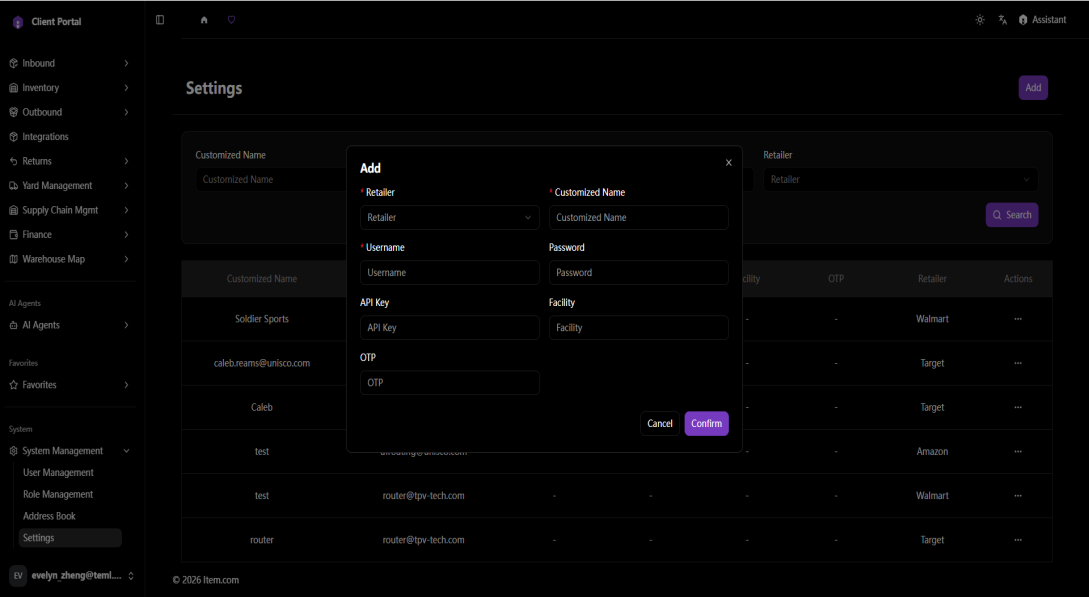
Settings is used to configure the credentials (Username, Password, API Key, OTP) required for the system to pull data from third-party retailer platforms, as well as the data scope (Retailer, Facility) that can be pulled. Once configured, the system can use the corresponding credentials to log in to the third-party platform, pull data within the specified retailer and facility scope, and display it in the relevant reports under Supply Chain Mgmt.
Operating Steps
- Navigate to System Management → Settings
- To add new third-party data, pull configuration
- Click "+ Add" in the top-right corner
- In the Add dialog, fill in the required fields
- Click "Confirm" to save the configuration
- To search for existing configurations: enter a Customized Name or Username, or select a Retailer, then click "Search"
- To edit a configuration: click the "..." (Actions) menu on the corresponding row, select "Edit", update the credentials or data scope, and save
- To delete a configuration: click the "..." (Actions) menu on the corresponding row, then select "Delete"
Impact After Configuration
- Once configured, the system will use the provided credentials to log in to the corresponding third-party retailer platform, pull data within the specified Retailer and Facility scope, and display it on the following pages:
- Dashboards → OTIF
- Supply Chain Mgmt → OTIF Summary
- Supply Chain Mgmt → Lead Time Analysis
- Supply Chain Mgmt → Penalties
- Supply Chain Mgmt → Root Cause Analysis
- Supply Chain Mgmt → Recovery Portal
- Supply Chain Mgmt → Deductions
- For Retailers/Facilities that have not been configured with credentials and data scope in Settings, the system will not be able to pull data from the corresponding third-party platform, and the pages above will show no corresponding data.
Screenshots